
Bulk Image Downloader vs Download All Images — Which Fits Your Job?
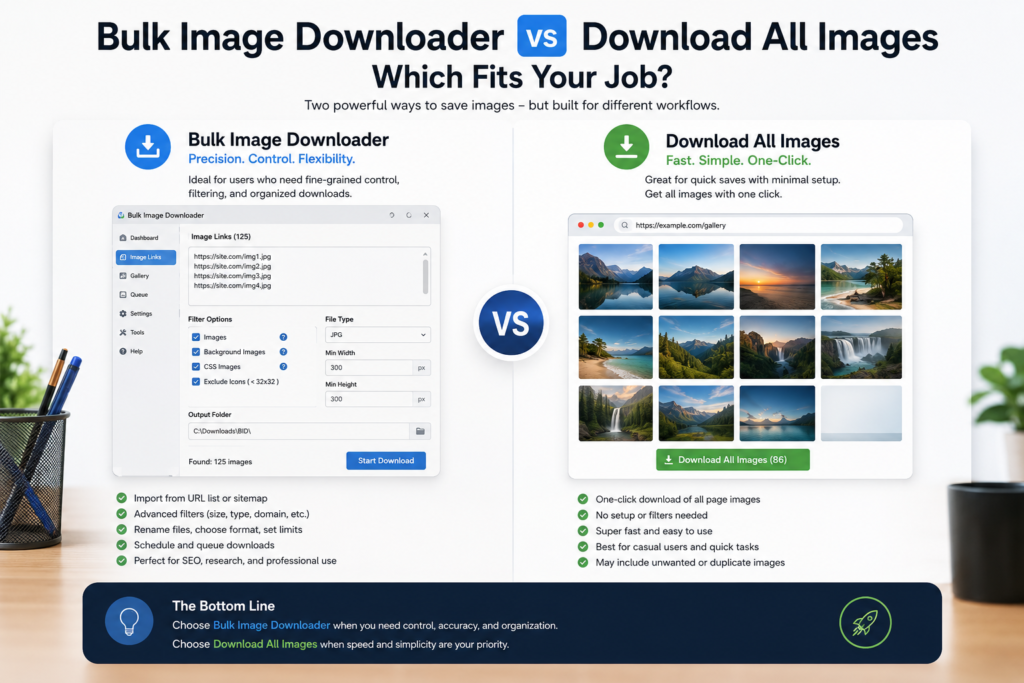
Download All Images is designed for a very clear job: find images on the current page, let you filter them, and save the result, often as a ZIP. For quick page captures, that directness is exactly what many users want.
Bulk Image Downloader Pro is aimed at a larger workflow. It can still start from a page scan, but it also supports URL-list scraping, task-based downloads, filename construction, processing options, URL checks, duplicate review, and CSV task export/import.
Where Download All Images is a good fit
Use Download All Images when the source is one page and you want a fast capture with minimal setup. Public descriptions emphasize current-page image extraction, gallery preview, filters by size, dimensions, URL or type, and ZIP downloading. Some descriptions also mention deeper page detection, such as linked images, background/CSS images, iframes, or regex-based filtering.
That makes it useful when you need a lightweight page downloader and do not want to build a reusable task.
Where Bulk Image Downloader Pro is different
Bulk Image Downloader Pro adds a workflow layer. The side panel can scan the current page, run Deep Scan for lazy-loaded images, use Area Scan for a selected region, or scrape a list of page URLs. Results can be filtered by dimensions, file type, aspect ratio, source domain, and text before becoming a task.
On the options page, the task controls decide how the files land on disk: folder names, ZIP output, filename constructor, custom filename files, Download IF rules, resize, convert, EXIF stripping, watermarking, queued or parallel execution, and CSV import/export for repeatable setups.
The practical difference
- One page, quick ZIP: Download All Images is likely enough.
- Many source pages: Bulk Image Downloader Pro is better suited because it can scrape from a page URL list.
- Strict output names: Bulk Image Downloader Pro has the stronger task-side naming workflow.
- Repeat jobs: Bulk Image Downloader Pro can preserve task settings and export them for reuse.
- Simple ad hoc captures: A smaller page downloader may be faster.
When a one-click ZIP stops being enough
A one-click ZIP is convenient until you spend time cleaning the ZIP afterward. If you keep deleting icons, renaming every file, moving images into folders, or repeating the same filters each week, the deeper workflow becomes worthwhile.
Bulk Image Downloader Pro is for that point in the job: when the output matters as much as the capture. It lets you decide what should download, how it should be named, whether it should be processed, and where the batch should go.
A fair conclusion
Download All Images is a sensible choice for quick, current-page saves. Bulk Image Downloader Pro is the better fit for users who need URL-list collection, organized output, processing, and saved task structure.
Choose the simple page grabber for simple pages. Choose the workflow tool when image downloading has become part of a repeatable process.
Continue reading: Bulk Image Downloader vs ImageAssistant.
Get Bulk Image Downloader Pro on the Chrome Web Store, watch the tutorial video, or visit our YouTube channel for more image download workflows.