
Remove Duplicate Image URLs — Bulk Image Downloader Pro
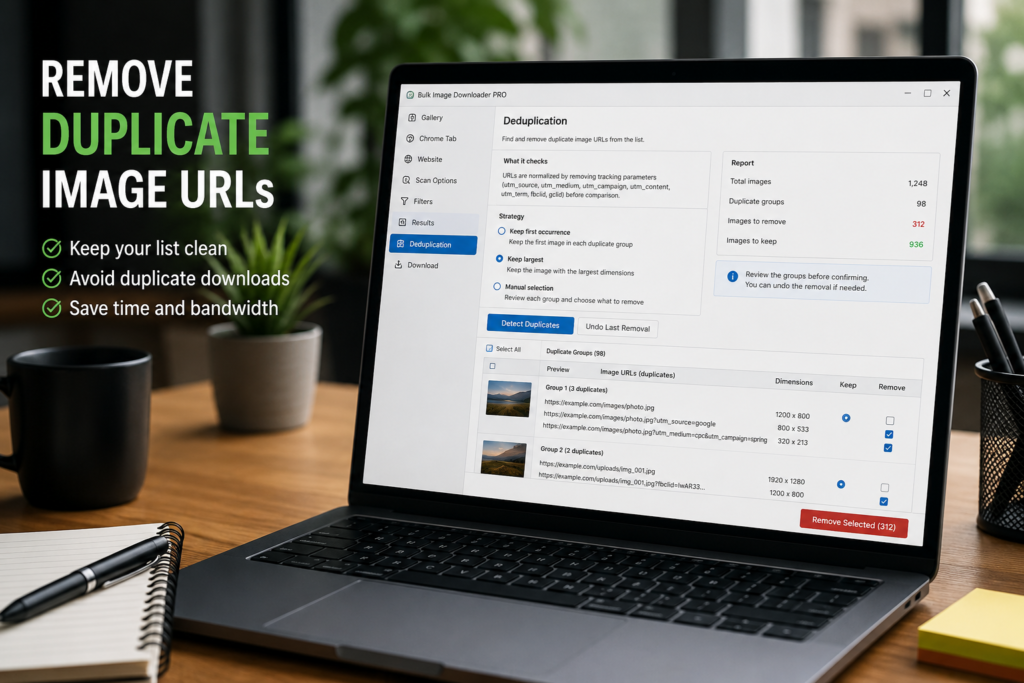
Scraped image lists often contain repeats. The same image may appear twice in a gallery, a URL may be collected from more than one page section, or a tracking parameter may make one link look slightly different from another. Before downloading, it helps to remove duplicate image URLs from the result set.
Bulk Image Downloader Pro includes URL-level deduplication in the side panel. It is meant for duplicate links in scraper results, not for visually similar images stored at different URLs.
What URL deduplication checks
The dedupe tool groups images by URL after a light normalization step. It removes common tracking parameters such as utm_source, utm_medium, utm_campaign, utm_content, utm_term, fbclid, and gclid before comparing links.
This helps catch obvious URL repeats and tracking variants. It does not decide whether two different image files look the same. For visual similarity, use the separate duplicate finder workflow on the options page.
Choose how duplicates should be handled
The side-panel dedupe tool gives you three strategies. Keep first occurrence is simple: the first item in each duplicate group stays, and later repeats are removed. Keep largest compares dimensions and keeps the largest image in the group. Manual selection lets you choose what to remove yourself.
Use Keep largest when repeated URLs include thumbnail and larger versions with reliable dimensions. Use manual selection when the group needs judgment.
Review the report before removing anything
After detection, the report shows duplicates found, images to remove, and images to keep. Review the groups before confirming, especially if the result set came from a mixed page or a multi-page scrape.
The report is there to prevent accidental cleanup from becoming a blind destructive step.
Undo if the result is wrong
Deduplication keeps a backup for Undo Last Removal. If the list looks worse after removal, restore it and try a different strategy.
This is especially useful when testing Keep largest on pages where dimensions are missing, inconsistent, or not the right quality signal.
A practical dedupe workflow
- Scan or scrape the pages you need.
- Filter obvious clutter by dimensions, file type, domain, or keyword.
- Open Deduplication and choose a strategy.
- Detect duplicates and review the report.
- Confirm removal only when the groups look right.
- Use Undo Last Removal if the cleanup went too far.
For visually similar images rather than duplicate links, use the duplicate finder on the options page. For cleanup before dedupe, read filter images by file type.