
Lazy Loading Images — Why Galleries Look Empty Until You Scroll
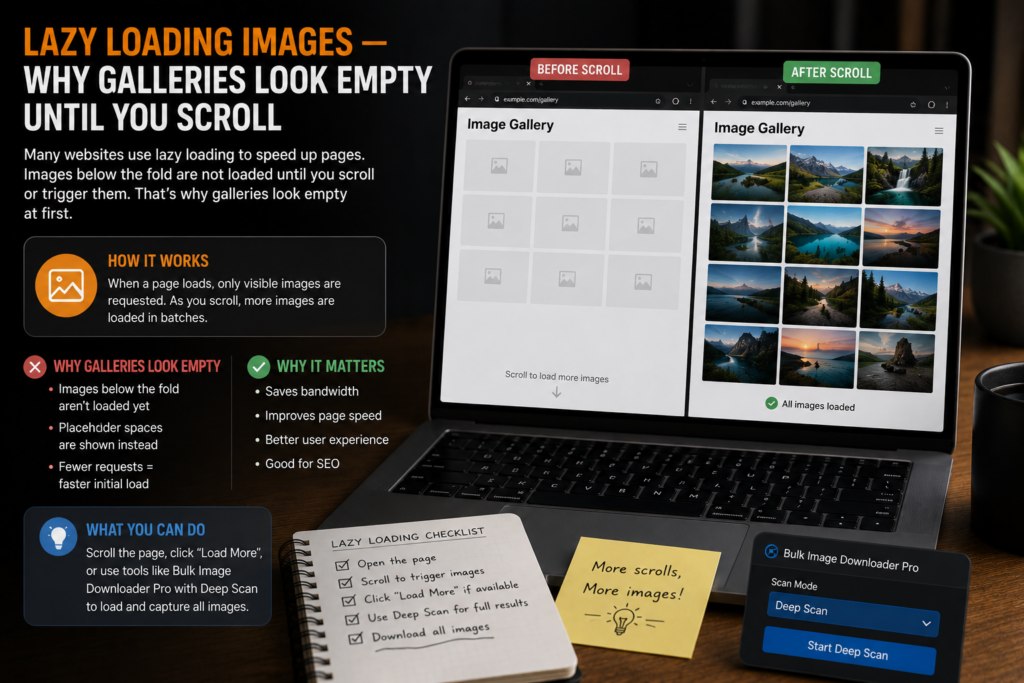
Scroll through a long gallery and watch the pictures appear one section at a time. That behavior is usually lazy loading, and it is one of the most common reasons a bulk download finishes with far fewer images than the page seems to show.
Understanding lazy loading images explains both the missing-file problem and the fix.
What lazy loading does
Lazy loading is a performance technique. Instead of requesting every image when the page first opens, the browser loads pictures only when they are close to entering the viewport. That reduces initial load time and saves bandwidth for visitors who never scroll to the bottom.
In practice, the real image URL may sit in a data attribute such as data-src, load through JavaScript after scroll, or use the native loading="lazy" attribute. Until something triggers that load, the full image may not exist in the page state your downloader reads.
Why ordinary downloaders stop early
Many simple tools collect whatever image URLs are already present at scan time. On a lazy-loaded page, lower images may still be placeholders, tiny previews, or blank entries. The result looks like a broken tool when the page itself is behaving normally.
The same issue shows up on infinite-scroll feeds, AJAX thumbnail grids, and carousels that inject images after interaction. Manually scrolling to the bottom can help on a short page, but it is slow and hard to repeat reliably on long galleries.
What helps with browser-visible lazy loading
The practical fix is to let the page load more content before collecting URLs. Deep Scan auto-scrolls and waits for browser-visible lazy-loaded, AJAX, and infinite-scroll images to appear. Continuous Scanning keeps watching as new content streams in. Stack Mode merges results across several scans or pages when a gallery spans pagination.
These modes help with content the browser can actually render in your session. They do not bypass logins, paywalls, or every custom script pattern a site may use.
Check the results before you commit
When a download looks incomplete, review the result list before exporting or saving hundreds of files.
- Assume long galleries and feeds use lazy loading by default.
- Let an auto-scrolling scan finish before you download.
- Check dimensions in the preview list; tiny entries may be placeholders.
- For paginated sets, scan each page and combine the results.
Lazy loading is good for visitors and good for site performance. You just need a workflow that loads the page the way a person would before trying to collect the full image set.
Continue reading: WebP vs JPG vs PNG images.
Get Bulk Image Downloader Pro on the Chrome Web Store, watch the tutorial video, or visit our YouTube channel for more image download workflows.