
Image URL Redirects Explained — Bulk Image Downloader Pro
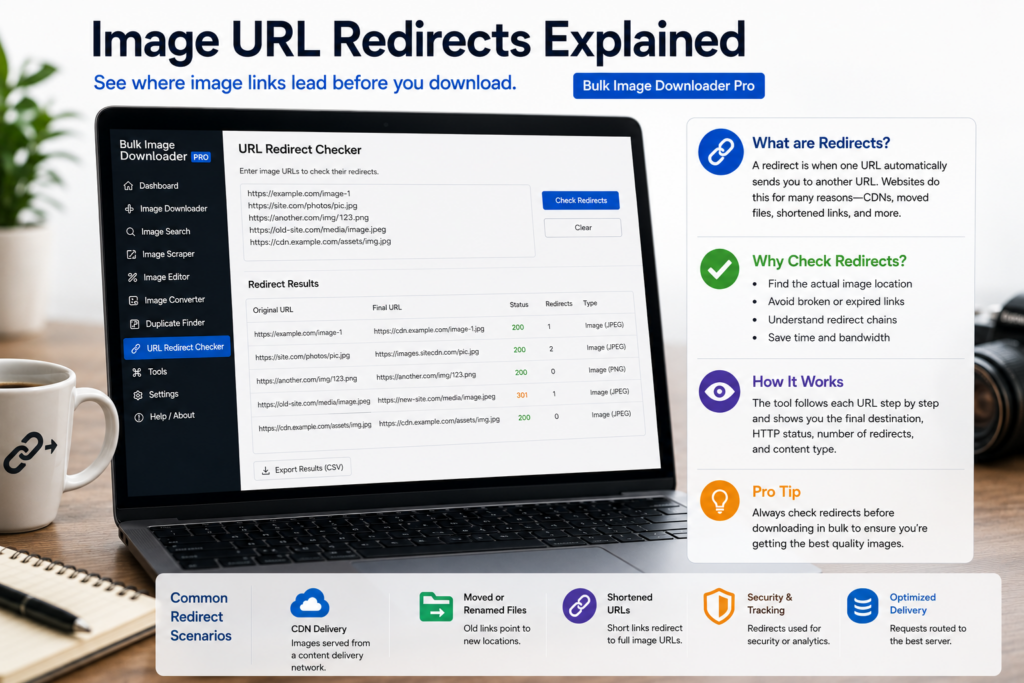
You copy one image address; the file that arrives was served from another. That hop is a redirect—and in bulk work, invisible chains cause duplicates, wrong files, and wasted slots. Image URL redirects explained simply means knowing why links bounce and checking final destinations before you download.
Bulk Image Downloader Pro includes a Redirect Checker that traces chains client-side in Chrome.
Step 1: what happens during a redirect
Your browser requests a URL. Instead of returning the image bytes, the server may reply with a redirect status (commonly 301 or 302) and a Location header pointing elsewhere. The client follows that pointer, sometimes through several hops, until a server returns the actual file—or an error page.
In a tab you rarely notice. In a list of five hundred links, the start URL and end URL can differ completely.
Step 2: ordinary reasons image URLs redirect
- CDN routing — edge servers closer to the visitor
- HTTP to HTTPS upgrades — insecure links forwarded to TLS versions
- Moved or renamed files — old paths kept alive for bookmarks
- Shorteners and tracking wrappers — affiliate or analytics hops
- Signed or tokenized URLs — hotlink protection with time-limited addresses
None of these are bugs. They only become a problem when you treat the scraped wrapper URL as the canonical file location.
Step 3: how redirects disrupt bulk downloads
- two different source URLs may resolve to the same final image (duplicate downloads)
- a chain may end on a login page, HTML error, or placeholder instead of a picture
- long chains add latency across hundreds of files
- expired tokens in signed URLs fail mid-batch even when the wrapper link looked fine yesterday
Step 4: trace chains before you commit
- paste URLs into the Redirect Checker (HEAD first, GET fallback on 405/403)
- review final destinations and status codes (up to 20 hops per URL)
- run the 404 checker on final URLs to drop unreachable links
- copy cleaned URLs into your task manually—checkers do not auto re-import
- dedupe URLs so redirected duplicates collapse to one entry
For hands-on checker steps, read URL redirect checking. For chain mechanics, see URL redirect chains explained.
Step 5: what tracing cannot fix
- hotlink protection that blocks bulk saving even when a browser preview works
- URLs that need cookies or headers a simple checker request cannot send
- expired signed links—you need a fresh source URL from the site
- automatic task repair—you decide which final URLs to keep
Tracing gives evidence to edit the list; it does not guarantee every host allows bulk downloads.
Install Bulk Image Downloader Pro and treat redirect checks as standard prep for any list assembled from exports, scrapes, or old spreadsheets.
Continue reading: Filter Images By Size.
Get Bulk Image Downloader Pro on the Chrome Web Store, watch the tutorial video, or visit our YouTube channel for more redirect education tips.