
Bulk Image Downloader for Content Creators — Turn Reference Finds into Usable Assets
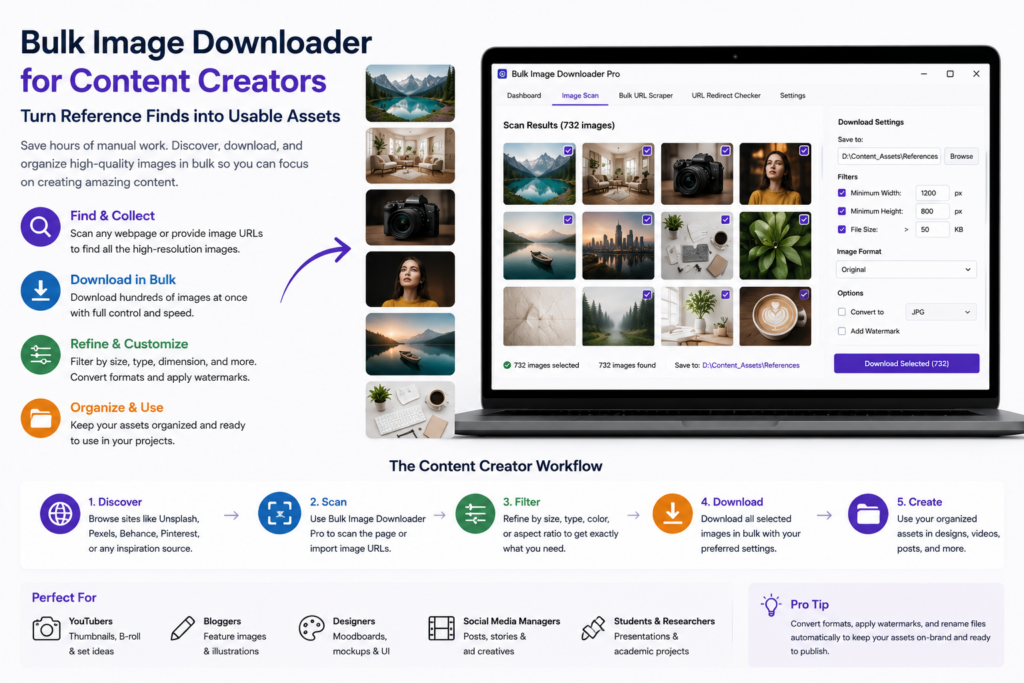
Content creation rarely fails because you cannot find ideas. It slows down when the visual prep work piles up: saving reference images, sorting them by project, resizing for one platform, converting for another, and trying to remember which thumbnail belongs to which episode.
A bulk image downloader for content creators should reduce that file wrangling, not add another app to babysit.
Collect references before you edit
Start with the source pages: product pages for reviews, galleries for thumbnail inspiration, blogs for b-roll stills, or competitor posts for layout references. Deep Scan can help with browser-visible lazy-loaded images, and URL lists let you gather from several pages into one working set.
That first collection step matters because creators usually work in batches. One organized pull beats ten separate browser saves scattered across Downloads.
Filter to the format you actually need
Most scraped pages include icons, ads, tiny previews, and images that will never fit your channel specs. Use minimum dimensions, aspect-ratio filters, file type filters, and text search in URLs or alt text to keep only useful assets.
Vertical crops for shorts, wide banners for blog headers, and square assets for feeds are easier to separate when you filter before downloading rather than deleting files afterward.
Prep files in separate passes
Once the right images are selected, processing happens on the options page. Resize is useful when you need consistent dimensions. Convert is useful when your editor prefers JPG instead of mixed WebP and PNG sources. Watermarking uses a PNG image with opacity and placement controls.
Resize and Convert are separate modes, so plan copies for the output you need. Upload Mode can also run local stills or existing assets through the same processing pipeline when part of the batch already lives on disk.
Name and folder assets like a production library
Use project folders, sequence numbers, series tokens, and cleanup rules so filenames stay readable outside the extension. ZIP output helps when you need to hand a set to an editor, assistant, or client.
Exact URL deduplication and duplicate review can reduce repeated shots, but near-identical frames should still be checked before deletion.
Reuse the setup every week
Creators repeat the same workflow constantly. Save the filter, naming, and processing setup as a reusable task, export it for a collaborator, and save scraper sessions when a long sourcing run may need another pass. The goal is a repeatable pipeline that leaves more time for writing, recording, and publishing.
Collecting images does not grant usage rights. Check site terms, licensing, and attribution requirements before republishing source material.
Continue reading: bulk image downloader for UX researchers.
Get Bulk Image Downloader Pro on the Chrome Web Store, watch the tutorial video, or visit our YouTube channel for more image download workflows.