
Bulk Image Downloader for UX Researchers — Capture Competitor UI Evidence Without the Screenshot Mess
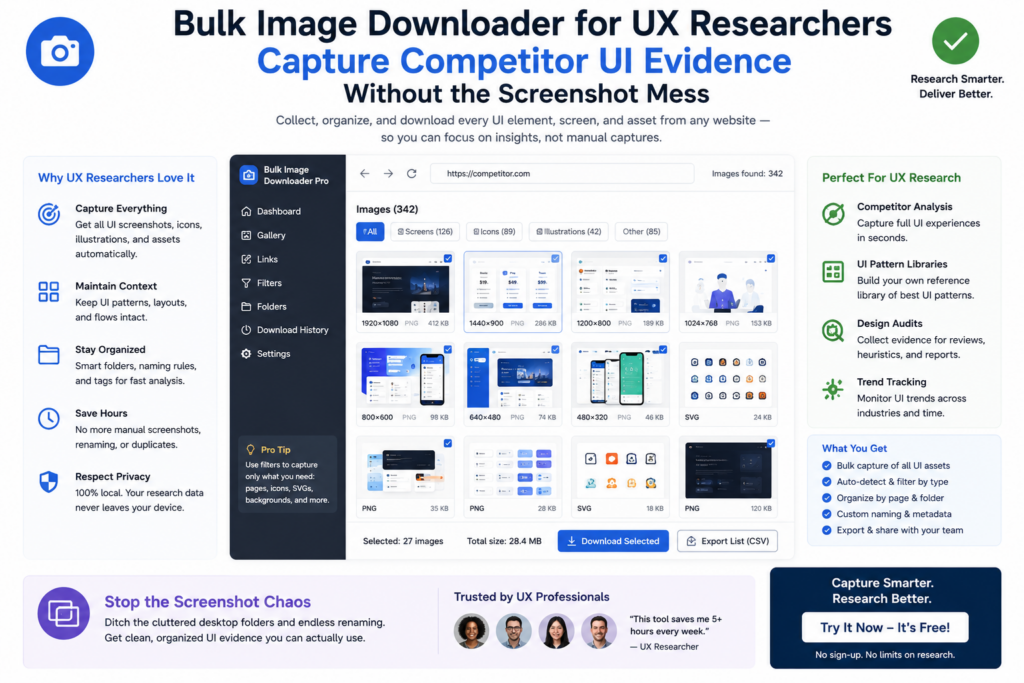
UX competitive research depends on visual evidence that a teammate can understand weeks later. One-off screenshots are fast in the moment, but they become painful when filenames are generic, competitors are mixed together, and nobody can tell which checkout screen came from which product.
A bulk image downloader for ux researchers helps turn scattered captures into organized benchmark material.
Capture the region that answers the question
Many UX studies focus on a component, not the whole page: onboarding, pricing, empty states, filters, or checkout fields. Area Scan lets you limit collection to a selected region so surrounding chrome and unrelated images stay out of the set.
For longer marketing pages or image-heavy flows that lazy-load content, Deep Scan can help collect browser-visible assets after the page has had time to render more of the interface.
Benchmark several products from one study list
Competitive work usually spans multiple products and multiple pages per product. Build a URL list for the flows you want to compare, add a request delay when pages need breathing room, and scrape them in sequence so the evidence lands in one working collection instead of manual one-by-one saves.
Dimension filters help drop tiny icons and decorative assets. Text search in URLs can isolate images tied to a feature name or section you are comparing across products.
Organize files the way the analysis is written
Research only helps the team when the folder structure matches the story. Use competitor-based folders, filename tokens for product and feature names, timestamps for study rounds, and cleanup rules so files behave when moved into slides, FigJam boards, or a research repository.
When several researchers contribute, consistent naming matters more than perfect folder poetry.
Compare sessions when interfaces change
One of the most useful UX research habits is revisiting the same competitor over time. Save each capture as a scraper session, run a fresh session later, and use Compare Sessions to see added, removed, or changed image URLs between visits.
That comparison helps spot new screens, removed assets, or visual shifts, but it is not a full redesign audit on its own. Login-gated flows, blocked assets, or content that never renders in your browser may still need manual review.
Keep the workflow repeatable and internal
Because scanning and downloads run in the browser, competitive research stays on your machine without uploading study material to a separate service. Save scan, filter, and naming settings as reusable rules, and export task CSV files so the team captures evidence the same way on the next benchmark round.
Comparison is URL-based, so renaming breaks nothing
Session comparison works on links, not filenames. When you compare two scans, it is the URLs that are matched, which means renaming or refoldering files never affects the comparison itself. That is useful for a study where evidence is renamed for the report after it is collected.
It also sets a boundary worth knowing. Because the comparison reads links, it shows new or missing images between sessions rather than visual changes to the same image. Screenshots differ subtly from that; a session comparison answers which assets appeared or disappeared, not how a given asset looks now.
Continue reading: lazy loading images.
Apply the same method: collect URLs, filter, and download only the files that matter.