
Image Downloader vs Instaloader — Bulk Image Downloader Pro
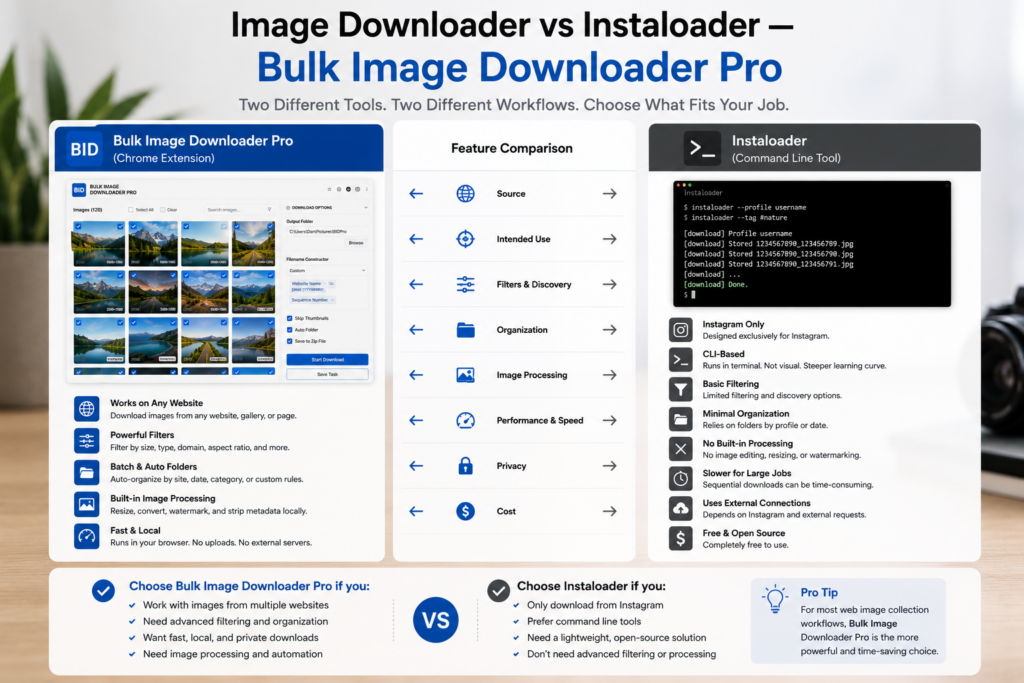
Image downloader vs Instaloader compares two different interfaces for different sources. Instaloader is a Python command-line tool built primarily for downloading Instagram profiles, posts, stories, and hashtags. Bulk Image Downloader Pro is a Chrome extension for finding and downloading images from arbitrary websites inside your browser.
Neither replaces the other. Instaloader fits scripted Instagram archival. A visual browser tool fits general web galleries, catalogs, and editorial pages where you want to preview before saving.
What Instaloader does well
Instaloader is a terminal-native Instagram downloader:
- download profiles, posts, tagged media, stories, and highlights with CLI flags
- script repeatable runs for cron jobs or Python pipelines
- store metadata JSON alongside media when configured
- resume interrupted Instagram sessions for long archives
For developers and researchers comfortable in a shell, that automation is the point. The trade-off is setup: Python environment, login/session handling for private or rate-limited content, and reading docs when Instagram changes behavior.
Instaloader is not a general-purpose scraper for random ecommerce or news sites. Its center of gravity is Instagram.
What a browser image extension adds for the open web
- Deep Scan, Area Scan, and Continuous Scanning for lazy-loaded galleries
- side-panel pagination and Bulk URL scrape across many page URLs
- grid and table views with dimension, type, aspect-ratio, and domain filters
- perceptual duplicate finder plus 404 and redirect checkers
- on-download resize or convert (JPEG/WebP/PNG), EXIF strip, PNG watermark (PRO)
- saved tasks, Download If rules, auto folders, and filename constructor tokens
Comparison table
| Need | Instaloader | Browser image extension |
|---|---|---|
| Instagram CLI automation | Yes | No |
| Arbitrary website image capture | No | Yes |
| Visual preview before download | No | Yes |
| On-download resize / convert | No | Yes (PRO) |
| Scripted pipelines / cron | Yes | Limited (saved tasks/CSV) |
| Visual duplicate detection | No | Yes |
Choose by workflow
Pick Instaloader when Instagram is the source and you want terminal automation you can version-control.
Pick Bulk Image Downloader Pro when images live on regular websites, you need to see and filter them first, and you want naming and processing in one browser workflow.
Many archivists use both: Instaloader for Instagram accounts, a browser tool for everything else.
Install Bulk Image Downloader Pro for visual web image workflows outside Instagram.
Continue reading: Image Downloader vs JDownloader.
Get Bulk Image Downloader Pro on the Chrome Web Store, watch the tutorial video, or visit our YouTube channel for more downloader comparisons.