
Image Downloader vs JDownloader
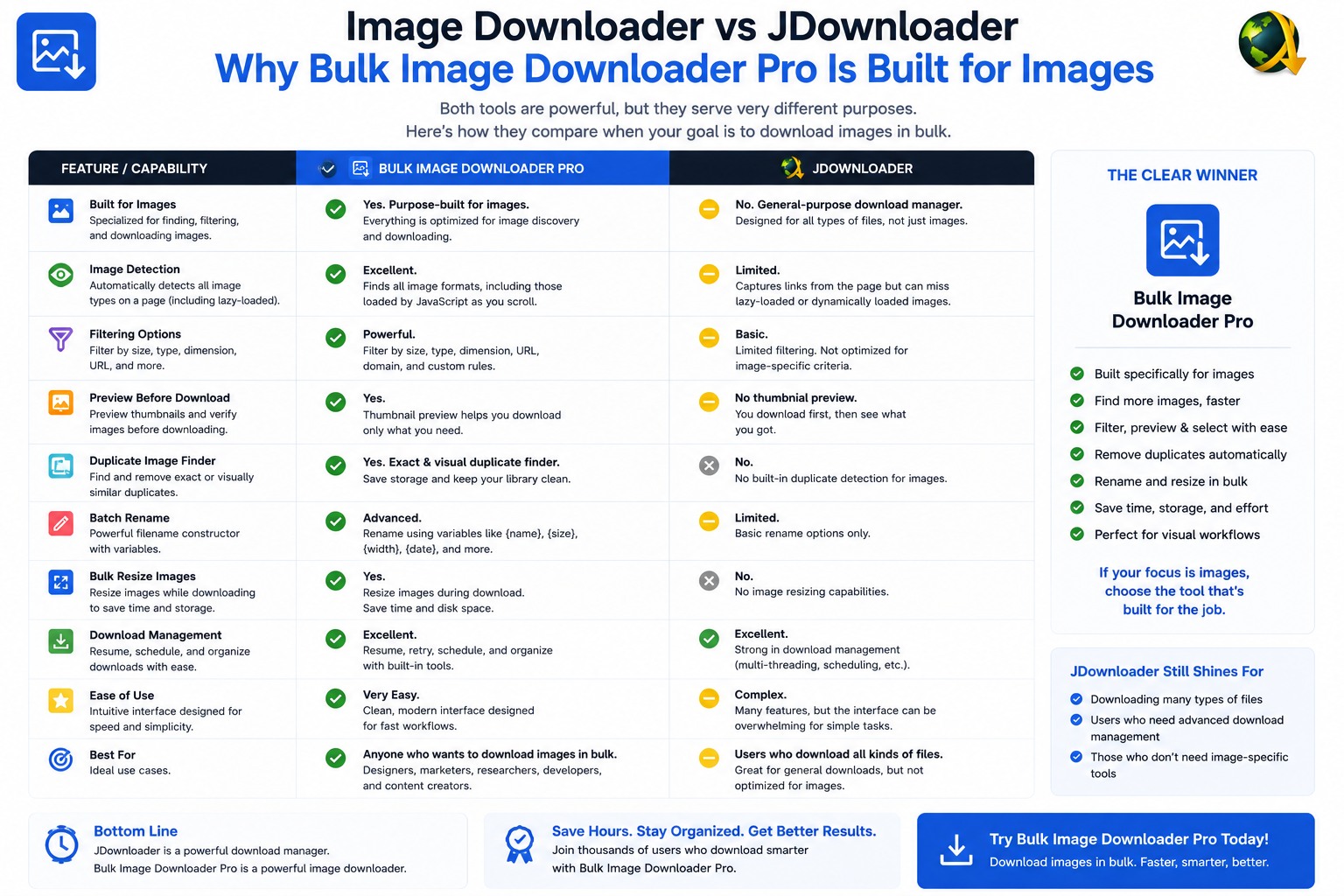
What JDownloader is built for
- desktop app with download queues independent of the browser
- link grabbing from clipboard or browser integration
- support for file hosters, containers, and mixed media types
- CAPTCHA and reconnect handling on supported hosts (feature set varies by version and plugins)
- large batch downloads when URLs are already known
What an in-browser image tool adds
- Deep Scan and Area Scan capture images the page has not fully rendered yet
- side-panel pagination and Bulk URL scrape for multi-page catalogs
- filters for dimensions, file type, aspect ratio, and URL text
- perceptual duplicate finder plus 404 and redirect checkers
- filename constructor, auto folders, Download If URL rules, per-task ZIP
- on-download resize or convert, EXIF strip, PNG watermark (PRO; mutually exclusive per task)
Comparison table
| Task | JDownloader | Browser image extension |
|---|---|---|
| Queue known direct links | Yes | Yes (URL lists) |
| Mixed file types / hosters | Yes | Images only |
| Discover images inside a page | Limited | Yes (Deep Scan) |
| Lazy-load / paginated galleries | Manual | Built-in |
| Visual dedupe + link checkers | No | Yes |
| On-download image processing | No | Yes (PRO) |
Pick by where the work starts
Use JDownloader when links are already in hand and file types are mixed. Use Bulk Image Downloader From URL List when the job starts on a webpage and the deliverable is a curated image set with consistent names and optional processing. Keeping both is common: JDownloader for hoster links, an image extension for gallery pages. Install the Chrome extension when images must be found and finished inside the browser.Widening the search?Our roundup of best bulk image downloader extensions covers more choices.
The link cap is a plan difference, not a tool difference
JDownloader does not meter links. The extension does, and that meter follows your plan rather than the layout you pick. On Basic (Free) you can paste a URL list and download it, but Browser and Pipeline hold you to one download. Try PRO opens every tool with the same one-link-per-download limit still in place. Licensed PRO removes the cap, and that is the plan that makes a spreadsheet of many downloads practical.
That matters when you compare the two for a large job. If your input is one long column of picture links, Basic handles it. If your plan is many separate downloads running side by side, that is the Licensed PRO tier, and switching layouts will not change it.
Continue reading: Bulk Download Images Instead of Save Image As.