
Download Images for Data Augmentation — Bulk Image Downloader Pro
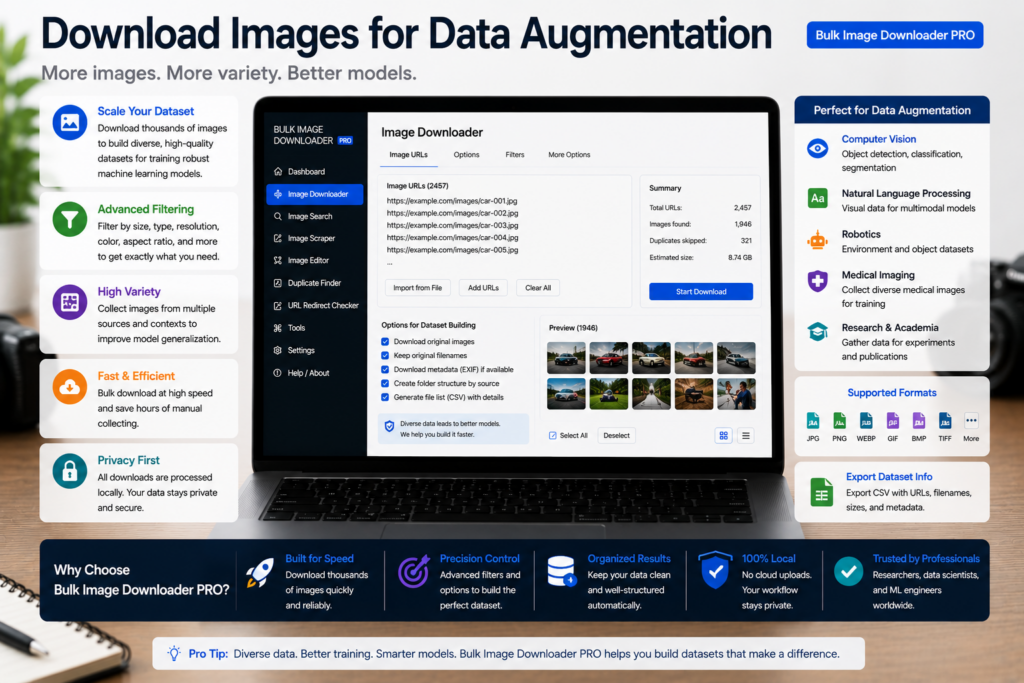
Data augmentation in PyTorch, TensorFlow, or Keras multiplies whatever you already have—including duplicates, thumbnails, and mixed resolutions. The work that actually matters happens before you flip, rotate, or color-jitter: building a clean base set. Learning to download images for data augmentation means collecting labeled samples, filtering noise, deduplicating leaks, and normalizing dimensions so your augmentation code trains on signal, not garbage.
Bulk Image Downloader Pro handles collection and preprocessing in Chrome. It does not run augmentation transforms itself—that stays in your training framework.
Step 1: define classes and permitted sources
Write down each class label and the pages or repositories you are allowed to scrape. Public datasets with clear licenses, your own photography, and institutional galleries with reuse terms belong here; random image search results do not. One spreadsheet row per class with source URLs becomes your collection plan and later your provenance record.
Step 2: collect across many pages into one review pass
Training images rarely sit on a single URL. Paste your source list into Bulk URL scrape (up to 500 URLs per run with configurable delay, minimum 500 ms) or load URLs from a text file. On each page, Deep Scan catches lazy-loaded gallery images a quick scan misses; Stack Mode merges paginated results (up to 100 pages) into one grid.
Before downloading, export the scrape results table to CSV. That manifest ties every sample back to its origin URL for reproducibility and license review.
Step 3: filter for label quality at scrape time
Bad samples poison a class. Set filters before you select files:
- minimum width/height to drop icons, favicons, and tracking pixels
- file type to keep raster photos and skip SVG placeholders
- domain include/exclude to scope a class to trusted hosts
- text in URL to isolate a species, product line, or defect type when filenames encode it
Grid view and table view let you bulk-select only the thumbnails that match the class before anything hits disk.
Step 4: dedupe so augmentation does not double-count
Near-duplicates that straddle train and validation splits inflate accuracy. Remove exact URL repeats first, then run the perceptual duplicate finder on your URL list. Licensed PRO scans up to 600 URLs per run; Try PRO scans one URL/source for evaluation. Review groups at Balanced sensitivity first—tighten to Aggressive when you need a strictly diverse set—and remove redundant samples from the download task manually.
If you maintain separate splits, dedupe each split’s URL list before download so the same photo cannot land in both.
Step 5: normalize size and format on download
Most models expect consistent input dimensions. Enable resize while downloading with exact width and height (or a fit mode: inside, cover, fill) and set JPEG quality deliberately. Resize and convert are mutually exclusive per task—run a separate convert-only task if you need uniform PNG or JPEG without dimension changes. Output formats are JPEG, WebP, and PNG; there is no AVIF conversion output. Enable EXIF strip so camera orientation metadata does not skew preprocessing. Processing runs in Web Workers locally; nothing uploads to a third-party server.
Step 6: label files and document the recipe
- Filename Constructor tokens can encode class name plus sequence (
defect-chip-014.jpg) so folder structure doubles as labels - Licensed PRO bulk CSV import maps spreadsheet rows to custom filenames when you maintain a label file
- save scan filters, resize settings, and naming as a Saved Rule so the next collection round uses identical parameters
- store the CSV manifest beside your experiment notes
When a reviewer asks how the set was built, you hand over the rule, the manifest, and the exact filters—not a folder of anonymous downloads.
Tier note
Basic (Free) supports URL-list downloads and CSV export. Resize, convert, duplicate finder at scale, and bulk CSV import require Try PRO or Licensed PRO.
Install Bulk Image Downloader Pro when your augmentation pipeline deserves a clean, documented base set.
Continue reading: Download Images for 3D Texturing.
Get Bulk Image Downloader Pro on the Chrome Web Store, watch the tutorial video, or visit our YouTube channel for more data augmentation workflow tips.