
Bulk Image Downloader for Academic Researchers — Source Lists and Reproducible Archives
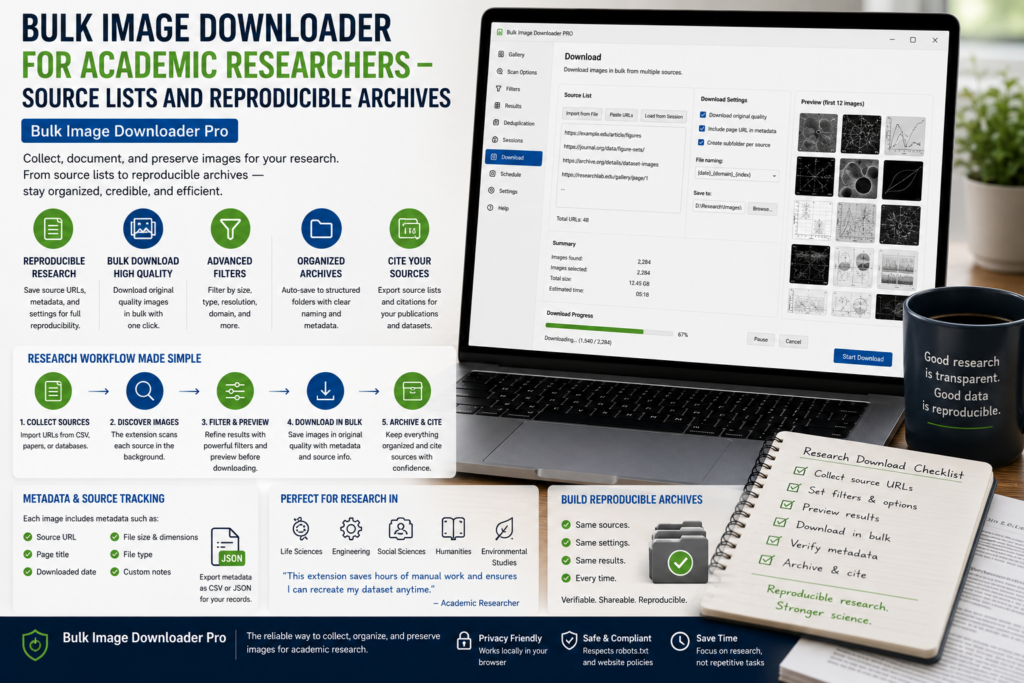
Academic image collection is not just about saving files. A useful archive needs source records, consistent handling, licensing notes, and enough structure that another researcher can understand how the material was gathered.
A bulk image downloader for academic researchers should support documentation as much as downloading.
Build a source manifest first
When collecting visual material, export the image URLs or scan results before downloading. A CSV manifest can record where images were found, which pages were scanned, and which URLs were later included or excluded.
That manifest supports citation work, audit trails, reproducibility notes, and later review of permissions or licensing.
Collect systematically, not casually
Use page lists when your source set spans many archives, catalog pages, or online collections. Use request delays and small test batches so the collection process stays controlled.
Deep Scan can help with browser-visible lazy-loaded material, but it does not replace site permissions, copyright review, or institutional data policies.
Filter and dedupe the corpus
Use dimensions and file type filters to remove thumbnails, icons, and unsuitable files. Exact URL deduplication catches repeated links. The Perceptual Duplicate Finder can group likely visual duplicates, but those groups should be reviewed before removal.
In research, a near-duplicate may still be meaningful: a different crop, edition, scan, restoration, or source context.
Archive with stable names and folders
Use folders by source, collection, theme, or case. Use filename tokens, sequence numbers, timestamps, and cleanup rules so the archive stays readable outside the extension.
Save sessions when you may need to revisit a result set, and keep notes about collection dates, search terms, and source restrictions alongside the files.
A responsible research workflow
Define the source list, scan, export the URL manifest, filter results, review duplicates, download only what you are permitted to retain, and store files with clear names and documentation. The tool helps with collection; research judgment still governs what belongs in the corpus.
Continue reading: bulk image downloader for web developers.
Get Bulk Image Downloader Pro on the Chrome Web Store, watch the tutorial video, or visit our YouTube channel for more image download workflows.