
Download Images for Game Assets — Bulk Image Downloader Pro
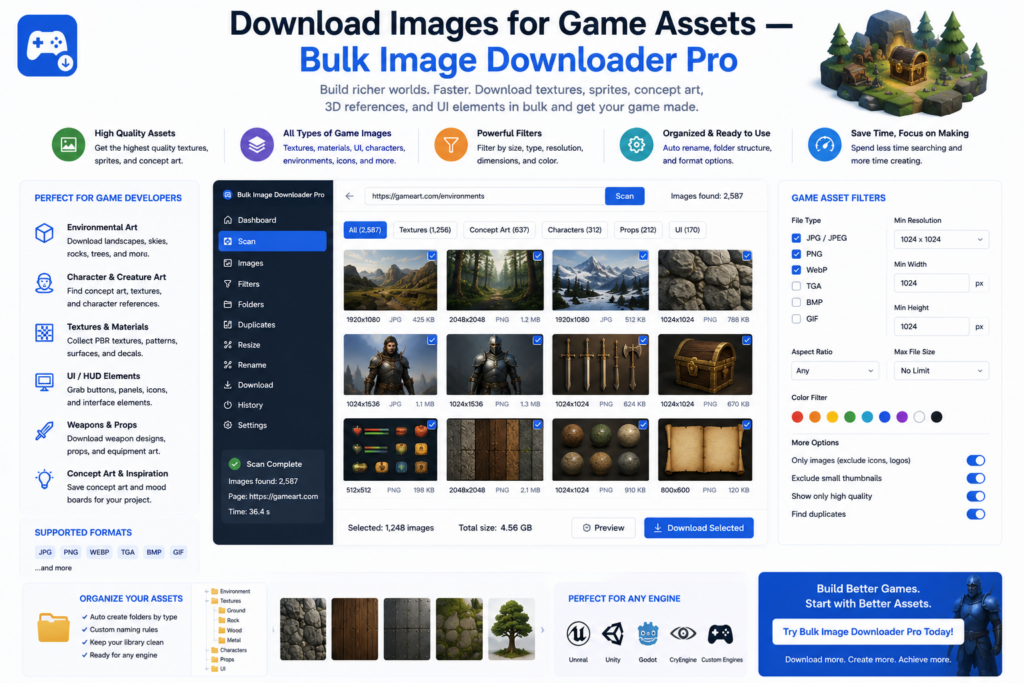
Concept artists collect references: armor silhouettes, fabric folds, lighting, creature anatomy. Searching how to download images for game assets usually means reference gathering for your own work, not extracting textures or models from shipped games (which violates most EULAs and copyright).
Bulk Image Downloader Pro deep-scans boards, filters by size, removes visual repeats, and stores Saved Rules for sites you mine repeatedly.
Reference gathering vs ripping game files
This extension downloads images visible in web pages you can browse. It does not unpack game archives, rip in-engine textures, or bypass DRM. Use it for moodboards, photography references, and permitted portfolio galleries that inspire original art.
Step 1: pull complete boards
- Deep Scan auto-scrolls lazy-loaded and infinite-scroll galleries (common on portfolio and inspiration sites)
- side-panel pagination auto-detects next-page links or follows a manual page range (up to 100 pages)
- Stack Mode merges every page into one collection for review
- Continuous Scanning catches new pins on live-updating boards
- Area Scan isolates one study when a page mixes several subjects
Step 2: keep only useful resolution
- minimum width and height filters drop preview thumbnails
- aspect-ratio filters separate wide environment plates from tall character sheets
- URL text filters when one artist’s set shares a path fragment
- table view sorts by dimensions so you spot low-res crops before download
Step 3: remove visual repeats
Boards repost the same artwork at different sizes or CDN paths.
- dedupe exact URLs in the side panel first
- open the options-page Duplicate Finder tab on the task
- start on Balanced sensitivity; use Strict or Aggressive if groups need tuning
- apply a Keep Rule (largest resolution is the default) and remove non-kept URLs from the task
Try PRO samples one image source for testing. Licensed PRO scans full task lists, with a performance cap of 600 URLs per scan on very large batches.
Step 4: save setups for familiar sites
- Saved Rules store filters plus custom CSS selectors for galleries that need a specific selector
- scraper sessions record each pull; compare sessions to see what a board added
- export a session as JSON to share a reference set with teammates
- auto folders sort by project code or source domain
- optional resize on download normalizes mixed wallpaper and thumbnail sizes (resize or convert per task, not both)
Ethics and studio policy
Reference images support study and inspiration. They do not grant a license to trace, republish, or ship someone else’s artwork in a commercial game. Collect only what site terms allow, keep licensed reference separate from production assets, and follow your studio’s IP guidelines.
Install Bulk Image Downloader Pro when reference gathering should stay in flow, not in Save Image As dialogs.
Continue reading: Download Images for Architecture Moodboards.
Get Bulk Image Downloader Pro on the Chrome Web Store, watch the tutorial video, or visit our YouTube channel for more game art workflow tips.