
Download Only Matching Image URLs — Bulk Image Downloader Pro
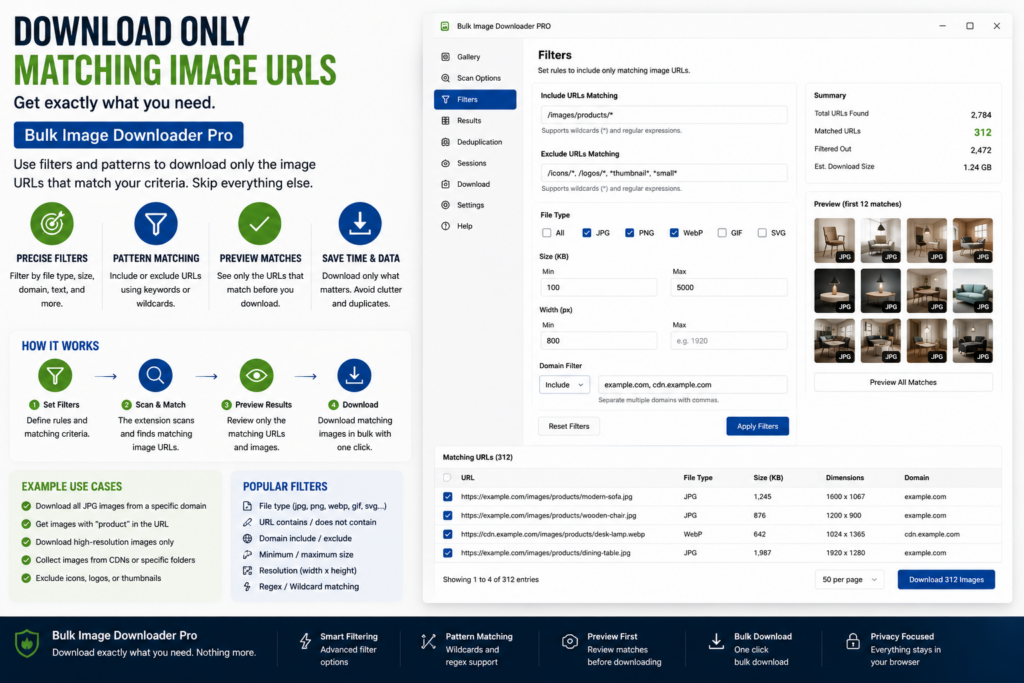
Your task list is right, but you only want part of it: full-size product shots, not thumbnails; one CDN path, not another. Editing hundreds of URLs by hand is slow and easy to mess up.
To download only matching image URLs, enable Download IF URL on the task. Rules run at download time and leave the pasted URL list unchanged, so you can tighten or loosen filters and run again against the same source data.
The three condition types
Each rule is a condition plus a value tested against the full image URL string:
- Contains: the URL must include the text you enter, such as /products/, large, or a hostname fragment
- Not Contains: the URL must not include the text, useful for blocking thumb, icon, or ad paths
- Regex: a regular expression for patterns plain text cannot express, such as numeric ID ranges or structured filename shapes
You can stack multiple rules on one task. Invalid regex patterns are ignored with a console warning rather than breaking the whole download.
How AND/OR logic works
When you mix positive rules (Contains or Regex) with Not Contains rules, the task shows an AND/OR selector:
- AND: the URL must satisfy the positive match and pass every Not Contains rule. Example: contains products AND does not contain thumb.
- OR: matching the positive side or satisfying the negative side is enough, depending on which rule groups you configured.
If you use only Contains rules, any matching Contains value can pass. If you use only Not Contains rules, the URL must avoid every blocked fragment.
Why filter at download time
Scraper-side filters narrow what enters the task. Download IF URL handles the final cut based on URL shape when the list is already saved.
Because rules apply during the download pass in Bulk Image Downloader Pro:
- your master URL list stays intact in the textarea
- you can run a stricter subset today and a looser one tomorrow from the same task
- a misfired rule does not delete source URLs you might need later
Licensed PRO unlocks Download IF URL on the options page along with other advanced task controls.
Practical rule recipes
- Skip thumbnails: Not Contains thumb and Not Contains -small
- One site section: Contains /gallery/2024/
- Several acceptable paths: multiple Contains rules when any path is valid
- Structured filenames: Regex such as
/full/[0-9]+.(jpg|png)$for a predictable CDN layout
Test on a small task first. Check the download count against your expectations before running a long batch.
Pair with other task filters
Download IF URL decides which URLs download. File-type checkboxes still limit by extension. Auto folders for downloads decide where matching files land. Filename Constructor rules decide what they are called.
Together they let one scraped list produce different deliverables without maintaining separate URL files.
Install Bulk Image Downloader Pro and use Download IF URL the next time the list is right but only part of it should save.
Continue reading: Filename Tokens and Sequential Numbering.
Get Bulk Image Downloader Pro on the Chrome Web Store, watch the tutorial video, or visit our YouTube channel for more URL filtering tips.