
Strip EXIF Metadata From Images Before Sharing
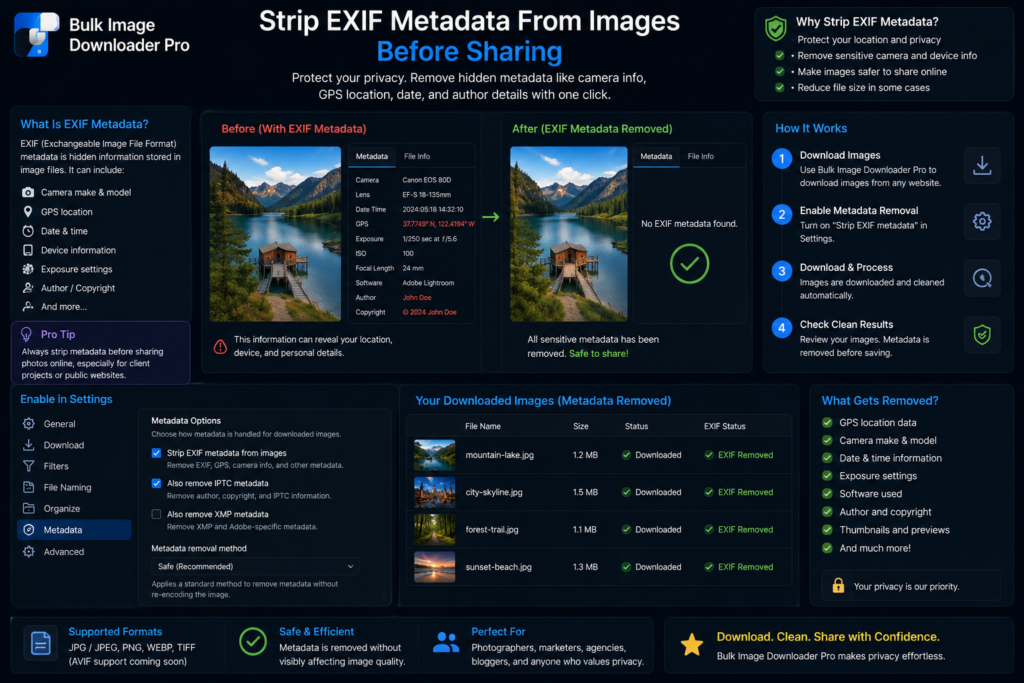
Photos can carry information that is easy to forget: camera model, capture date, software details, and sometimes location data. If you are sharing images publicly, that hidden data may not belong in the final files.
Bulk Image Downloader Pro can help you strip EXIF metadata from images as part of a local processing workflow.
What EXIF stripping means here
The extension strips EXIF by processing and re-encoding images through the browser workflow. That can remove common embedded metadata from the output file, which is useful for everyday privacy and publishing cleanup.
It should not be described as forensic sanitization. If a file has unusual metadata, hidden watermarks, steganographic content, or platform-specific tracking outside normal EXIF fields, use specialist tools and verify the result.
Use it when publishing or handing off images
EXIF stripping is useful before uploading product photos, publishing blog images, sending client previews, or preparing assets from a local folder. It reduces the chance that camera or location details travel with the file.
It is especially relevant when images came from phones or cameras rather than already-processed web assets.
Keep Resize and Convert separate
Do not assume every processing option runs together. Resize and Convert are separate task modes. Choose the processing path the job actually needs, then enable EXIF stripping where appropriate.
If the goal is only to clean metadata while preserving the visual size and format as closely as practical, avoid unnecessary resizing or format changes.
Use Upload Mode for files you already have
EXIF cleanup is not only for newly downloaded URLs. Upload Mode lets you process local files through the same browser-based workflow, which is useful when the images are already on your computer.
Keep originals separately if you may need them later. Metadata stripping changes the output file, so treat it as a cleaned copy rather than the only master.
A privacy-minded workflow
Select the images, decide whether they need resizing or conversion, enable EXIF stripping, save the cleaned output into a separate folder, then spot-check the result with a metadata viewer when privacy is important.
Local processing keeps the workflow simple: you do not need to upload private photos to a third-party metadata remover just to prepare them for sharing.
Continue reading: save website image scraping rules.
Get Bulk Image Downloader Pro on the Chrome Web Store, watch the tutorial video, or visit our YouTube channel for more image download workflows.