
Save Image Scraping Rules for Websites — Bulk Image Downloader Pro
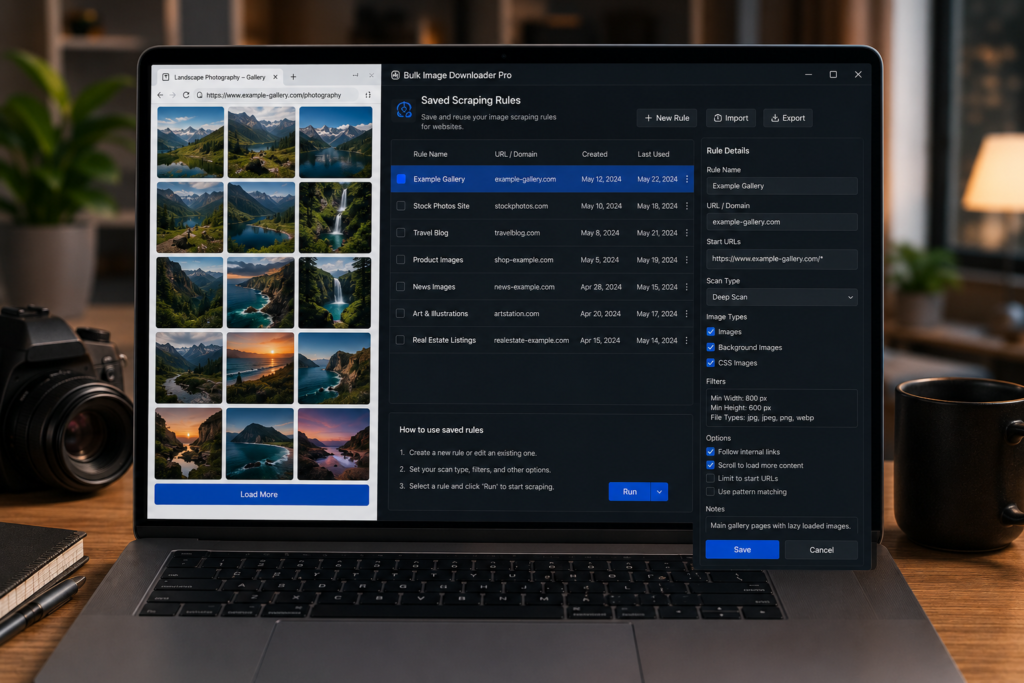
If you scrape the same websites again and again, the repeated setup can waste more time than the scan itself. You may use the same filters, the same pagination settings, or the same custom selectors every visit. That is when it helps to save image scraping rules for websites.
Bulk Image Downloader Pro includes Saved Rules in the side panel. A rule stores a reusable setup tied to a domain so you can apply it again later.
What a saved rule can store
A saved rule has a name, a domain, optional custom CSS selectors, and optional saved filters and pagination settings. When you apply the rule, those settings are restored for the next scan.
This is best for repeat sources where the site structure stays fairly consistent.
Use custom selectors carefully
Custom CSS selectors can help when a site uses a predictable layout and the images you want live inside a specific area or attribute. Examples include selectors such as .gallery img, img.thumbnail, or img[data-src].
Selectors are powerful but brittle. If the site changes its markup, a saved selector may stop matching the images you expect. Review the results after applying a rule rather than assuming it still works.
Save filters and pagination when they matter
If you always remove tiny images, keep certain file types, or scan through a known page sequence, save those filters and pagination settings with the rule. That keeps the repeat setup consistent.
If a site changes often, keep the rule lighter and adjust filters manually after each scan.
Apply rules by domain
Saved rules are tied to domains and can be suggested when the current page matches a saved domain. You can also choose a rule from the quick-apply dropdown and apply it manually.
Applying a rule prepares the settings for the next scan; it does not guarantee the next scan will find every image on the site.
A practical saved-rule workflow
- Open a site you scrape regularly.
- Set filters, pagination, and optional selectors.
- Save the current settings as a named rule.
- Return to the site later and apply the saved rule.
- Run the scan and review the results.
- Update or delete rules when the site’s layout changes.
For preserving actual result lists, read save image scraping sessions. For checking how saved scans differ, see compare image scraping sessions.