
Best Bulk Image Downloader Chrome Extension in 2026 — How to Choose
The best bulk image downloader Chrome extension in 2026 is not the same tool for everyone. A designer saving a few references from one page needs speed. An ecommerce assistant collecting product images from a list of URLs needs structure. A researcher building a repeatable archive needs filtering, naming, and cleanup.
So the useful question is not “which extension has the longest feature list?” It is “which extension fits the way I actually collect images?”
Start with the job type
Most image downloader extensions fall into a few practical groups:
- Current-page grabbers are best when you want images from the page already open in your browser.
- Multi-tab grabbers help when you open several product or gallery pages and want to collect from them quickly.
- Page sniffers are useful when you want to inspect what a page exposes and select images visually.
- Workflow tools are better when you need URL-list scraping, saved tasks, filename rules, processing, and repeatable output.
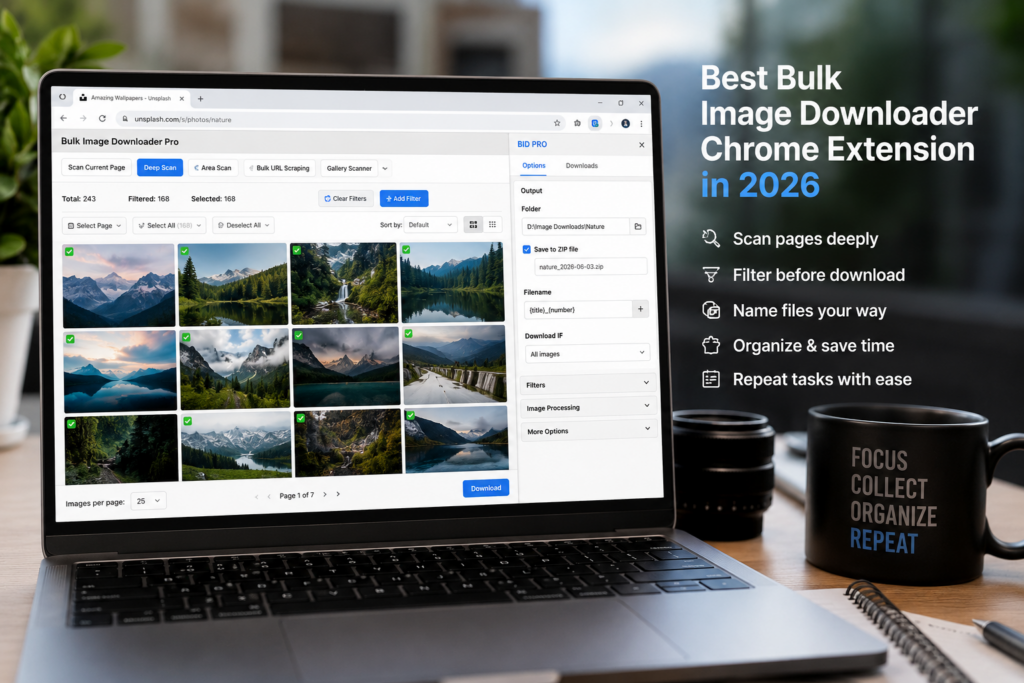
Bulk Image Downloader Pro belongs in the last group. It can handle page scans, but its real value is the workflow around the scan.
What to compare before choosing
Before installing another extension, compare tools by the work you need after image discovery:
- Can it handle lazy-loaded or infinite-scroll pages without a lot of manual scrolling?
- Can it collect from a list of page URLs, not only the current tab?
- Can it filter by dimensions, file type, aspect ratio, source domain, or URL text before download?
- Can it name files predictably instead of saving random CDN filenames?
- Can it organize output into folders or ZIP files?
- Can it repeat the same setup later without rebuilding everything?
For one-off page downloads, you may not need all of that. For recurring work, those details save time every week.
Where Bulk Image Downloader Pro fits
Bulk Image Downloader Pro separates discovery from output. The side panel scans pages with Scan Current Page, Deep Scan, Area Scan, Bulk URL Scraping, filters, exact URL deduplication, sessions, and saved scraping rules. The options page handles tasks, folders, ZIP output, filename construction, Download IF rules, parallel or queued downloads, resize, convert, EXIF stripping, PNG watermarking, preview filtering, URL checks, and perceptual duplicate review.
That makes it a strong choice when the final folder matters as much as finding the images. It is especially useful for ecommerce product pages, research collections, image archives, migration work, datasets, internal asset gathering, and other repeatable jobs.
When a simpler extension is enough
If you only need a fast current-page capture, tools such as Imageye, Download All Images, Fatkun, or ImageAssistant may be enough depending on the exact workflow. Some focus on visual page grids, some on multi-tab capture, some on ZIP output, and some on page sniffing.
That is not a weakness. Simpler tools are often better for simple jobs. A deeper task workflow only becomes valuable when you keep repeating the same cleanup: deleting icons, renaming files, sorting folders, or rerunning the same site collection.
A practical recommendation
Use the lightest tool that solves the real problem. If the job is one page, a quick page grabber is probably right. If the job involves many URLs, lazy-loaded pages, consistent filenames, task reuse, duplicate cleanup, or output processing, Bulk Image Downloader Pro is the better fit.
That is the honest way to choose the best bulk image downloader Chrome extension in 2026: match the tool to the workflow, not the other way around.
Continue reading: image scraping without Python.
Get Bulk Image Downloader Pro on the Chrome Web Store, watch the tutorial video, or visit our YouTube channel for more image download workflows.