
Image Scraping Without Python — When a Chrome Extension Is Enough
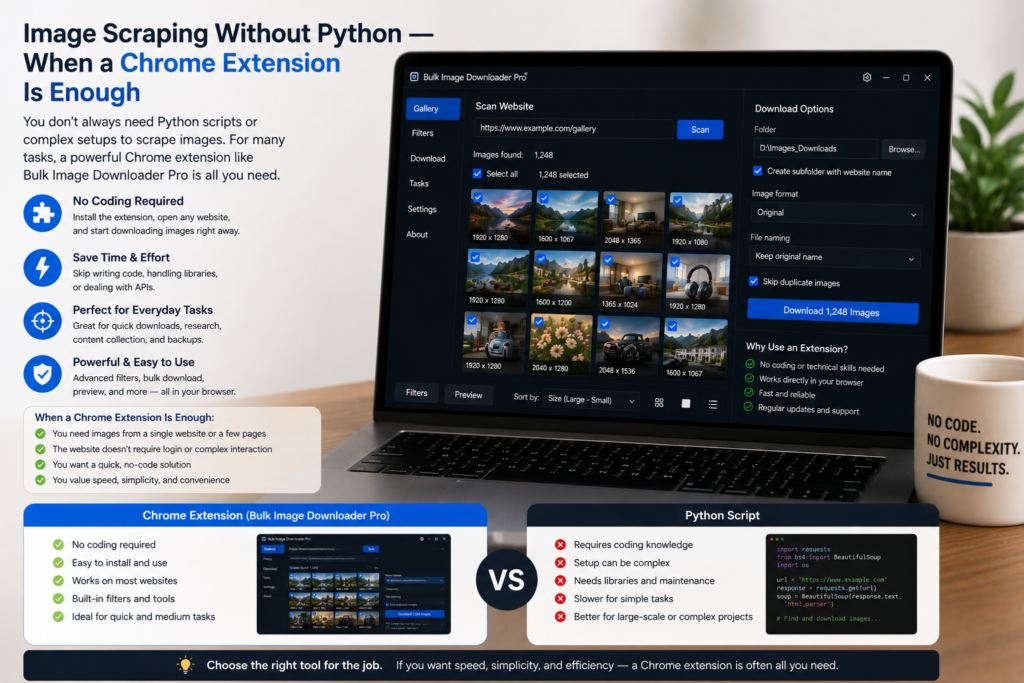
Python is excellent when you need a custom scraper, a scheduled pipeline, or logic that no visual tool can express. But many image scraping jobs are smaller and more visual than that. You just need images from browser-visible pages, a way to filter the junk, and a clean folder at the end.
For those jobs, image scraping without Python can be faster and easier to maintain. Bulk Image Downloader From URL List gives you a browser-based workflow for scanning pages, collecting URLs, filtering results, and creating download tasks without writing or maintaining scraping code.
What Python does well
A Python scraper gives you control. With requests, BeautifulSoup, Playwright, Selenium, or similar tools, you can build a custom pipeline, store data in a database, run jobs on a schedule, and connect image collection to a larger system.
That is the right choice when image collection is part of a backend workflow, when the logic is highly specific, or when scale and automation matter more than visual review.
Where scripts become expensive
The cost is setup and upkeep. You need an environment, libraries, selectors, pagination logic, duplicate handling, filename logic, retries, and storage rules. If the site uses lazy loading or JavaScript rendering, a simple HTML parser may not see the images at all, so the script becomes a browser automation project.
Then the site changes. A class name shifts, a gallery component updates, or image URLs move into a different attribute. The script that worked last month quietly breaks.
Where a Chrome extension helps
Bulk Image Downloader From URL List starts from the page as Chrome sees it. The side panel can use Scan Current Page, Deep Scan for lazy-loaded pages, Area Scan for a page region, or Bulk URL Scraping for a list of source pages. The result list can be filtered by dimensions, file type, aspect ratio, source domain, or text before becoming a download task.
That visual workflow is useful when the human decision matters: which images are real content, which are icons, which are duplicates, which belong in the final folder.
Output without writing extra code
On the options page, the task can handle the parts a quick script often leaves for later: folder names, ZIP output, filename construction, custom filename files, Download IF rules, parallel or queued downloads, resize, convert, EXIF stripping, watermarking, URL checks, and duplicate review.
Instead of writing code for every output rule, you configure the task once and reuse it when the same job comes back.
When to choose each approach
- Choose Python for backend automation, very large runs, scheduled jobs, custom logic, or integration with other systems.
- Choose a Chrome extension for browser-visible pages, lazy-loaded galleries, visual review, small and medium batches, and repeatable jobs that need clean output.
- Use both when helpful: collect and refine URLs visually, export the clean list, then feed it into code for a larger pipeline.
A fair conclusion
Image scraping without Python is not a replacement for every scraper. It is a better fit for the many jobs where writing a scraper would be more work than the image collection itself.
If the source is visible in Chrome and the final folder needs human judgment, filtering, and naming, a visual extension is often the shortest path from page to usable images.
Continue reading: download images with wget vs a browser extension.