
Image URL Redirect Checker — Bulk Image Downloader Pro
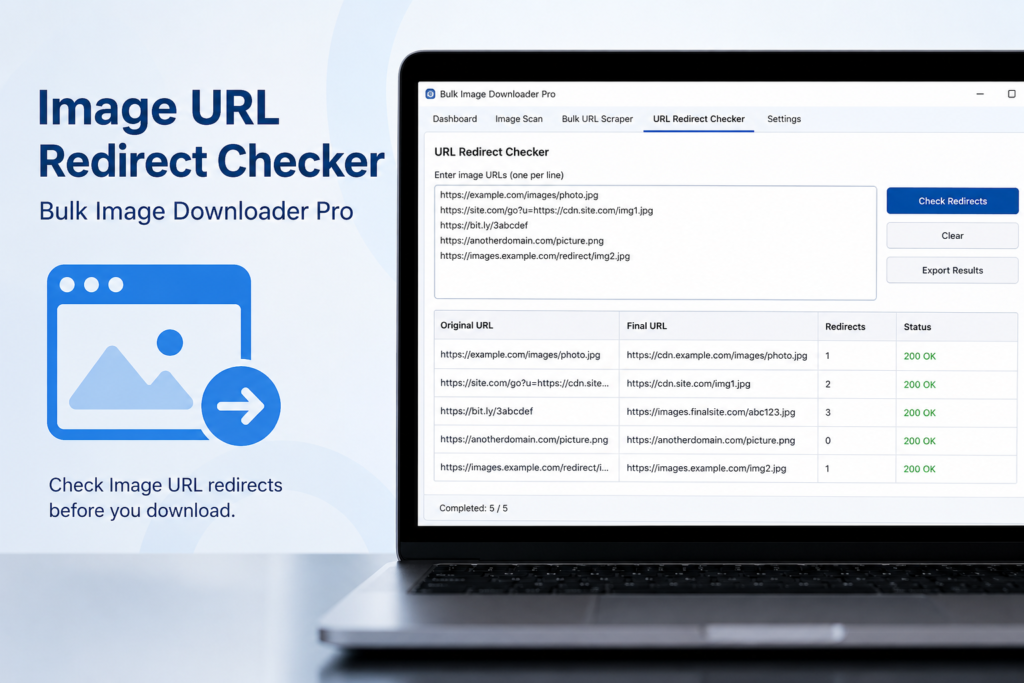
An image URL does not always point directly to the final image file. It may pass through tracking links, short URLs, CDN redirects, expired paths, or hotlink protection before landing somewhere else. An image URL redirect checker helps you see that chain before you trust a large download list.
Bulk Image Downloader Pro includes a redirect checker tab for testing image URL lists before you turn them into download tasks.
Why redirects matter before bulk downloads
One redirected URL is easy to ignore. Hundreds of redirected URLs can create a messy batch: failed downloads, wrong final URLs, tracking links, loops, or links that end on HTML instead of an image.
Checking redirects first lets you decide whether to keep the original URL, use the final URL, remove broken links, or inspect a suspicious source.
What the redirect checker does
You paste HTTP or HTTPS URLs, one per line, and run the check. The tool follows redirects manually, using HEAD requests first and falling back to GET when HEAD is blocked or not allowed. It follows redirect chains up to a limit, records each hop, and reports status codes and final destinations.
The output shows which URLs redirected, where they ended, and which chains failed or hit a redirect limit.
What to look for in the results
A clean result usually ends at the expected image or image-serving URL. A suspicious result may end at a login page, error page, tracking endpoint, non-image content, or a redirect loop.
Status codes help you decide what to do next. A 200 final response may be usable. A 404, 403, timeout, invalid redirect, or maximum redirect error needs review before download.
Use it with the 404 checker
The redirect checker answers ?where does this URL go?? The 404 checker helps answer ?is this URL reachable as an image?? For messy scraped lists, use both before importing or running a large task.
This is especially useful for old blog exports, CDN migrations, affiliate feeds, product image lists, and URLs copied from pages with tracking wrappers.
What it cannot fix automatically
The checker does not repair broken URLs, bypass hotlink protection, or guarantee that a site will allow bulk downloads. It gives you evidence so you can clean the list, use final URLs where appropriate, or remove bad entries before running a task.
A practical redirect-check workflow
- Paste the image URLs into the redirect checker, one per line.
- Run the check before a long batch or CSV import.
- Review final URLs and status codes.
- Remove loops, errors, login pages, and non-image destinations.
- Use the 404 checker for reachability and MIME validation.
- Build the final download task only from clean URLs.
For broken-link checks, read check image URL 404 before download. For CSV workflows, see import image download tasks from CSV.