
Check Image URLs Before Download
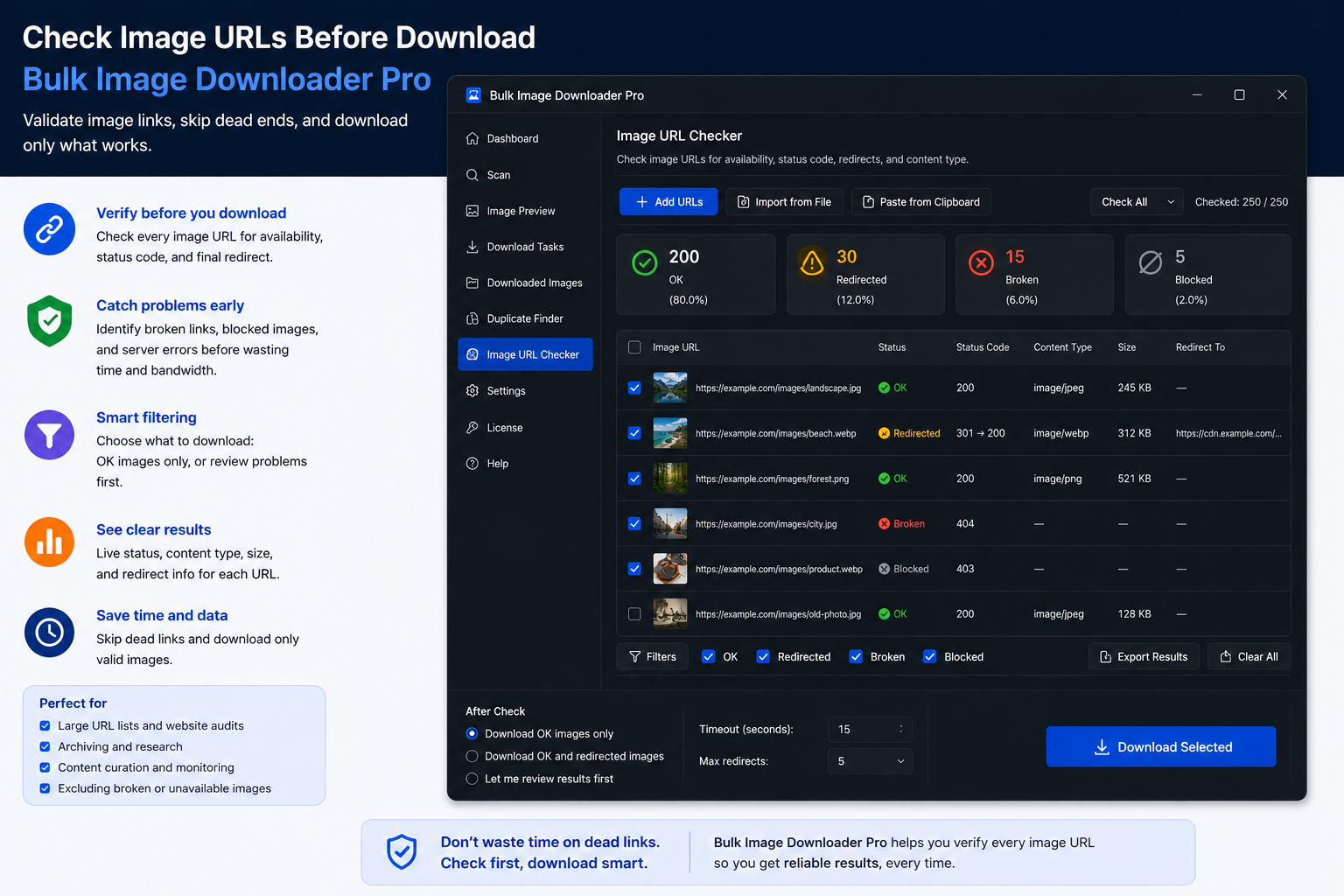
A bulk download against dead links wastes time and fills your log with noise. Before you commit bandwidth, you want to check image URLs before download and keep only the links that will actually return pictures.
The Image URL 404 Checker lives under the options page Tools menu in Bulk Image Downloader From URL List. Paste URLs one per line, run a scan, and get two lists: reachable image links and everything that failed validation.
What the checker validates
For each HTTP or HTTPS URL, the tool asks whether the response looks like a real image:
- Status: broken responses (404 and similar failures) land in the unreachable list
- Content type: a 200 response that serves HTML or plain text is treated as unreachable because it is not an image
- Extension fallback: when headers are vague, known image file extensions can still qualify a URL
Non-http(s) URLs are skipped. Only web image links are in scope.
HEAD first, GET when needed
The checker starts with a lightweight HEAD request so it can read headers without downloading the full file. If the server blocks HEAD (403/405) or the response is inconclusive, it falls back to a small GET request with a byte range header instead of pulling entire files.
That keeps large lists practical: URLs are processed in batches of 20 with a progress bar, not one giant blocking queue.
Reachable versus unreachable
When the scan finishes, results split into two copyable lists:
- Reachable URLs — links that passed the image check
- Unreachable URLs — 404s, timeouts, wrong content types, and other failures
Copy the reachable list and paste it into a new or existing download task. You are importing a verified set instead of hoping every row still works.
What the checker cannot fix
Be realistic about browser limits:
- it does not repair broken URLs on the server
- it does not follow redirect chains — use the separate Image URL Redirect Checker when you need final destinations
- CORS, auth walls, or bot blocking can mark a live image as unreachable even though a full download might work later
- some hosts misreport content types; extension matching is a fallback, not a guarantee
The goal is preflight cleanup, not a perfect oracle for every CDN edge case.
A practical workflow
- scrape or import your URL list
- run the 404 checker on the full list (or a suspect subset)
- copy reachable URLs into a task
- optionally run the redirect checker on URLs that moved
- dedupe with the visual duplicate finder if needed
- download against the cleaned list
For recurring sources, run the check each time you refresh a list. Old exports go stale fast on media-heavy sites.
Install Bulk Image Downloader From URL List and treat URL validation as a gate before every large batch.
Continue reading: Preview Images Before Downloading.
Get Bulk Image Downloader From URL List on the Chrome Web Store, watch the tutorial video, or visit our YouTube channel for more URL validation tips.