
Avoid Rate Limits When Scraping Images — Slow Down Before You Get Blocked
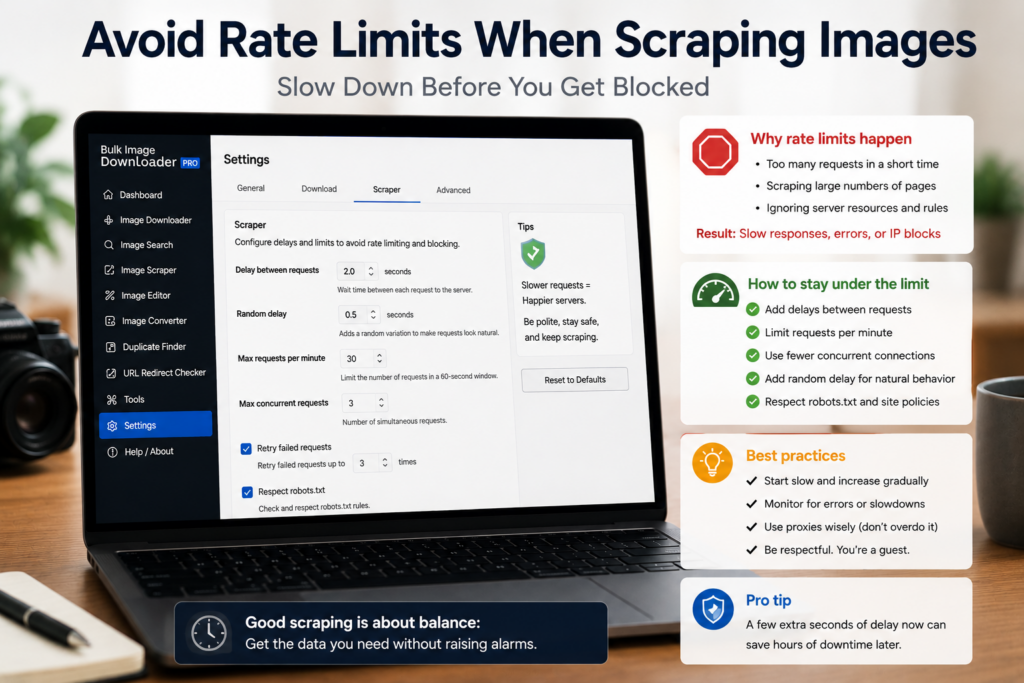
Image scraping fails quickly when a site decides your batch looks too aggressive. You may see timeouts, broken downloads, redirects to challenge pages, or a sudden drop in successful files.
To avoid rate limits when scraping images, treat speed as a setting to tune, not a number to maximize.
Start with a small test batch
Do not send a huge URL list on the first run. Use a small slice, confirm the pages load, check that the images are the ones you expect, and watch whether failures appear as the run progresses.
A max-URL cap is useful for this. It lets you test the source before committing to the full list.
Add request delay between page loads
When scraping from a list of page URLs, a request delay spaces out the work. That is better for the source site and easier to troubleshoot if something goes wrong.
There is no universal safe delay. A small static site, a CDN-backed catalog, and a protected account page can behave very differently. Increase the delay if failures cluster or response times climb.
Lower parallel downloads when needed
High parallel counts finish faster, but they also create more simultaneous requests. If a source starts failing, reduce parallel downloads and try a smaller run.
Queued mode can also help large batches behave more steadily by processing tasks in sequence instead of letting everything compete at once.
Know what settings cannot fix
Polite pacing can reduce problems, but it cannot bypass rate limits, login walls, blocked hotlinks, paywalls, CAPTCHAs, robots rules, or terms of service. If a site refuses access, the right answer is to stop or get permission, not to hammer it harder.
Use the 404 Checker and Redirect Checker to understand whether failures are dead links, redirects, non-image content, or access problems.
A responsible scraping workflow
Clean the URL list, test a small batch, add request delay, keep parallel downloads modest, use queued mode for heavy work, and back off when failures appear. Save the working settings for that source so future runs start at a respectful pace.
That approach will not guarantee access to every site, but it gives your legitimate image collection jobs a much better chance of finishing cleanly.
Continue reading: check image URLs before download.
Get Bulk Image Downloader From URL List on the Chrome Web Store, watch the tutorial video, or visit our YouTube channel for more image download workflows.
For a repeatable setup, save the rules once in Bulk Image Downloader From URL List, then reuse them the next time you face a similar URL list.
Bulk Image Downloader From URL List keeps this workflow inside Chrome so you can filter, rename, and download from one place.