
Clean Up Downloaded Image Filenames
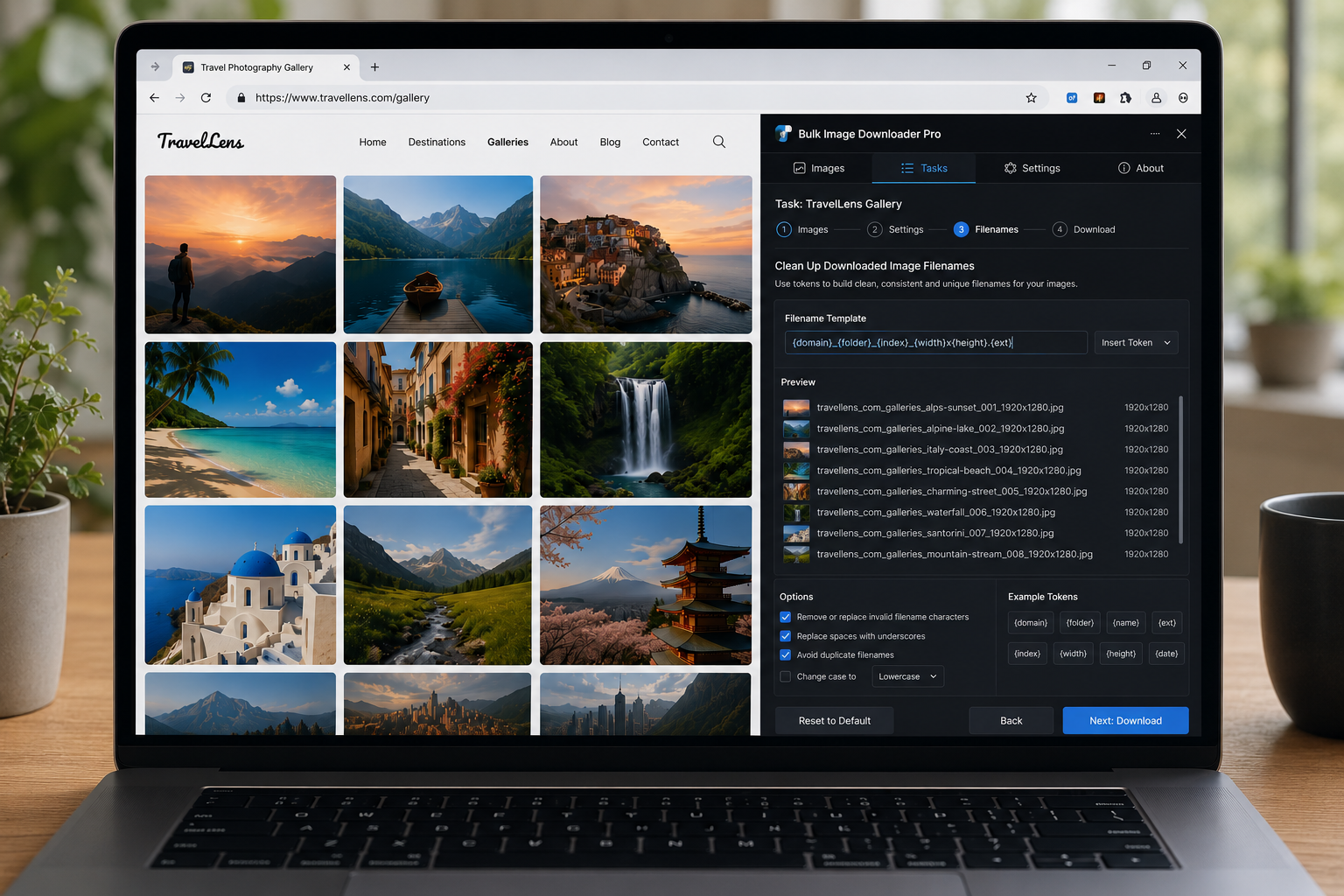
URL-derived filenames arrive with baggage: CDN prefixes, double underscores, query-string fragments, and vendor tags you never wanted in a folder. Clean up downloaded image filenames at save time by stacking find-and-replace rules after the Filename Constructor builds each name.
Bulk Image Downloader From URL List applies cleanup on every file in a task before Chrome writes it to disk.
Step 1: build the base name first
Start in the Filename Constructor with the pattern you want—URL tokens, domain segments, Sequence numbers, timestamps, or Custom Filenames from File. Cleanup is the polishing pass, not the naming plan. Constructor decides structure; cleanup removes junk the source URL dragged in.
Step 2: enable Filename Cleanup on the task
Turn on Filename Cleanup inside the constructor panel for the task. Click Add rule for each transformation you need. Each rule has:
- Contains — text to find in the filename (matched case-insensitively)
- Replace with — replacement text (leave empty to remove the match)
Rules run in order, top to bottom, on every filename in the batch.
Step 3: stack rules for messy sources
One rule rarely fixes a noisy CDN export. A typical stack:
- remove a repeated prefix such as
cdn-prod_ - replace
__with a single hyphen - drop a trailing tag such as
__main
Example: cdn-prod_SKU1234__main.jpg becomes SKU1234.jpg across hundreds of files with zero post-download renaming.
Step 4: pair cleanup with export and CSV workflows
Cleanup settings serialize into Export Tasks CSV (schema v4 Filename Cleanup Rules column) so recurring jobs keep the same rules. They also run after custom filename lists from CSV when both features are enabled on a task.
Step 5: what cleanup does not do
- rename files already sitting in your Downloads folder from past jobs
- change image pixels, dimensions, or format—use resize or convert settings for that (mutually exclusive per task)
- fix broken URLs or redirect chains—validate lists with the 404 and redirect checkers first
Cleanup only tidies the filename string the constructor (or custom list) produced.
For token-based naming patterns, see filename constructor tokens and sequence. Install the extension and set cleanup once per task instead of bulk-renaming after every download.
Continue reading: Image URL Redirects Explained.
Rules run in order, so order them carefully
Each cleanup rule is a find-and-replace, and the rules apply top to bottom on every filename in the batch. Put the rule that removes a repeated prefix first, then the rules that tidy what is left. A rule placed too early can remove part of a string a later rule was going to match.
Cleanup is not a naming plan
Filename Cleanup polishes the name the constructor produced. It is worth deciding the structure first, then using cleanup for the junk a source URL drags in. If you find yourself stacking six replacements to build a name from nothing, the pattern belongs in the constructor instead.
Delete instead of replace
You do not always have a replacement in mind. Leaving the replacement field empty removes the matched text entirely, which is what you want for a trailing tag or a repeated suffix. Use it for the parts of a name that should not exist rather than for parts that need rewriting.