
Back Up Image Download Tasks — Bulk Image Downloader Pro
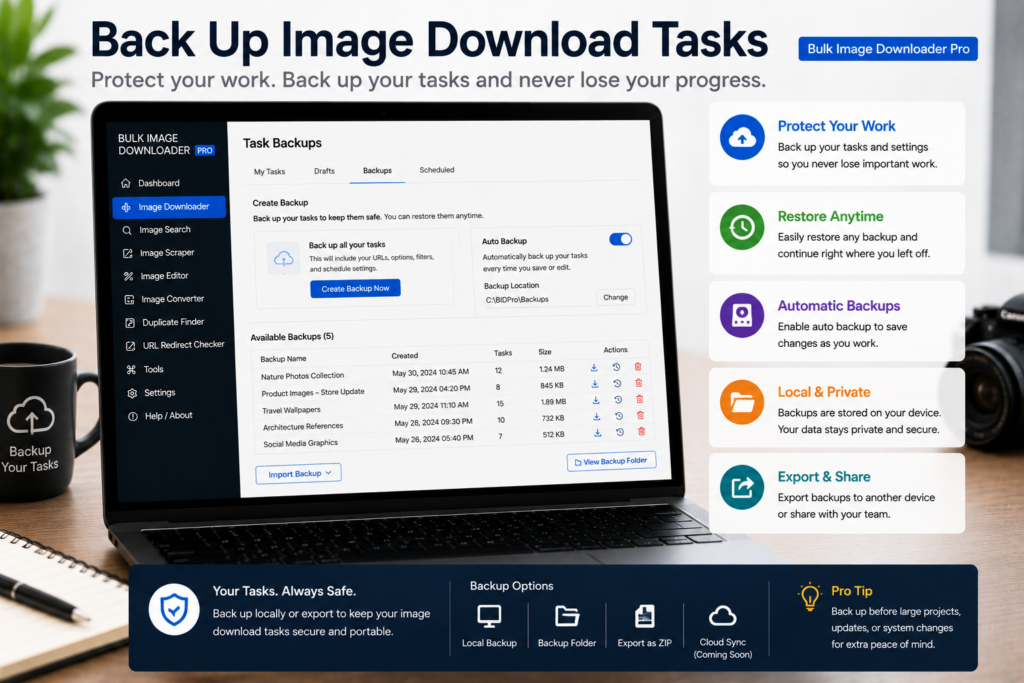
Your tasks are real work: curated URL lists, filename templates, watermark toggles, folder rules. They live in browser storage on that machine until you copy them somewhere safer. To back up image download tasks, use Export Tasks on the options page in Bulk Image Downloader Pro.
Export Tasks is your backup
Click Export Tasks (or the essential-info Export Tasks shortcut) to download a UTF-8 CSV named with the current date. The file is plain text you can store in cloud drive, email to yourself, or version in git.
CSV export is available on all tiers. Bulk CSV import to restore many tasks at once requires Licensed PRO; export itself is the backup step anyone can run.
What the CSV captures
The export schema is wide because tasks carry more than URLs. Each row can include:
- URLs (semicolon-separated in one cell)
- folder name, schedule time, ZIP toggle, respect-order flag
- file-type filters and auto-folder options
- filename constructor tokens and sequence settings
- Download If keywords and logic
- resize and convert enabled flags with format, quality, dimensions, fit, and worker concurrency
- Strip EXIF toggle
- Custom Filename Enabled and Custom Filenames
- Watermark Enabled and Watermark Settings JSON
- filename cleanup rules, task status, input mode, and schema version
You are backing up configuration, not just links. That is what makes restore useful after a reinstall or machine change.
Where data lives (and what export does not replace)
Tasks and global settings sit in chrome.storage.local. Upload-mode files referenced by tasks can live in IndexedDB; the export includes indexedDBKeys when present so imports know what to reconnect.
The global PNG watermark image is stored separately in watermarkAppState localStorage on the Watermark tab. Task export records watermark enabled state and the settings object saved with the task; reconfigure or re-upload the PNG on a new profile if needed.
Removing and reinstalling the extension can clear local tasks even when your license survives. Export before resets or big cleanups.
Restore and move between machines
- export tasks on the source machine
- keep a dated copy somewhere off-browser
- on the target machine, use bulk CSV import (Licensed PRO) or recreate tasks manually from the file
- verify watermark PNG and upload-mode attachments if your workflow uses them
The same CSV doubles as a template: duplicate rows in a spreadsheet to spin up similar tasks for different domains, then import the edited file.
Backup cadence worth following
- after any long URL paste or major settings change
- before extension reinstall or browser profile cleanup
- after finishing a complex multi-task setup you never want to rebuild
Pair exports with draft saves during editing and with task import/export workflow docs when you need column-level detail.
Install Bulk Image Downloader Pro and make Export Tasks a routine checkpoint, not a panic button.
Continue reading: Dark Mode Image Downloader.
Get Bulk Image Downloader Pro on the Chrome Web Store, watch the tutorial video, or visit our YouTube channel for more task backup tips.