
Imageye Alternative — Bulk Image Downloader Pro
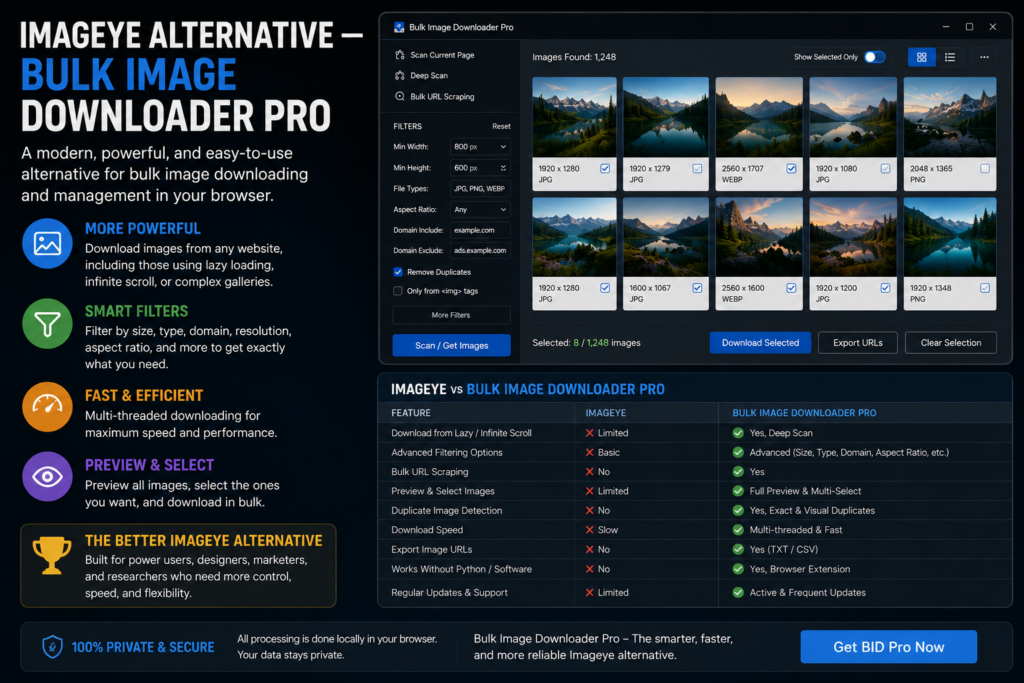
Imageye built a loyal audience with a clean thumbnail grid, quick size and URL filters, format conversion, and reverse image search on the current page. When you need an Imageye alternative, the job usually grew: many pages, scroll-loaded images, or repeat workflows that need saved tasks and consistent output.
Bulk Image Downloader Pro keeps the visual selection comfort in the side panel and adds URL-list scraping plus options-page task processing. This is a fair comparison; Imageye is still the better fit for fast single-page grabs with reverse search.
Where Imageye shines
- intuitive grid for picking images on one page
- fast filters by dimensions and URL text
- bulk selection and download from the current tab
- reverse image search for provenance checks
- WebP-to-PNG/JPG style conversion for quick handoff
If your workflow is open page, pick files, save, Imageye may be all you need.
Where page-level tools hit a ceiling
- Many source pages mean repeating the same steps per tab
- Lazy loading and infinite scroll hide images until you scroll them into view
- Post-download work (rename, resize, dedupe across URLs) stays manual
- Repeat jobs lack structured tasks you can export and restore
What Bulk Image Downloader Pro adds
- Deep Scan auto-scrolls and waits for lazy-loaded or AJAX images
- Bulk URL scrape walks a pasted list (configurable max URLs up to 500 and delay between pages)
- Stack Mode merges results across pages into one collection
- grid and table views with dimension, type, aspect-ratio, and domain include/exclude filters
- Saved Rules with custom CSS selectors for sites you revisit
- scraper sessions you can export and compare between runs
- on-download resize, convert (JPEG/WebP/PNG), optional EXIF strip, and PNG watermark (Licensed PRO processing)
- perceptual duplicate finder, 404 checker, and redirect checker on the options page
There is no built-in reverse image search in this extension. Keep Imageye installed if you use that feature regularly.
Side-by-side snapshot
| Capability | Imageye | Bulk Image Downloader Pro |
|---|---|---|
| Visual grid + size filters | Yes | Yes (grid + table) |
| Reverse image search | Yes | No |
| URL-list page scraping | No | Yes |
| Deep / lazy-load capture | Limited | Deep Scan |
| Saved tasks + CSV backup | No | Yes |
| Visual duplicate detection | No | Yes |
| On-download resize / convert | Limited | Yes (PRO) |
When to switch
Stay on Imageye for quick single-page work and reverse search.
Move to Bulk Image Downloader Pro when you crawl URL lists, need scroll-heavy capture, or want naming, folders, deduplication, and processing in one repeatable pipeline.
See also Fatkun alternative and Bulk Image Downloader vs Image Downloader.
Install Bulk Image Downloader Pro when page-level grabbing is no longer enough.
Continue reading: Download All Images Alternative.
Get Bulk Image Downloader Pro on the Chrome Web Store, watch the tutorial video, or visit our YouTube channel for more alternative comparisons.