
Try PRO Image Downloader — Test the Full Toolkit on One URL
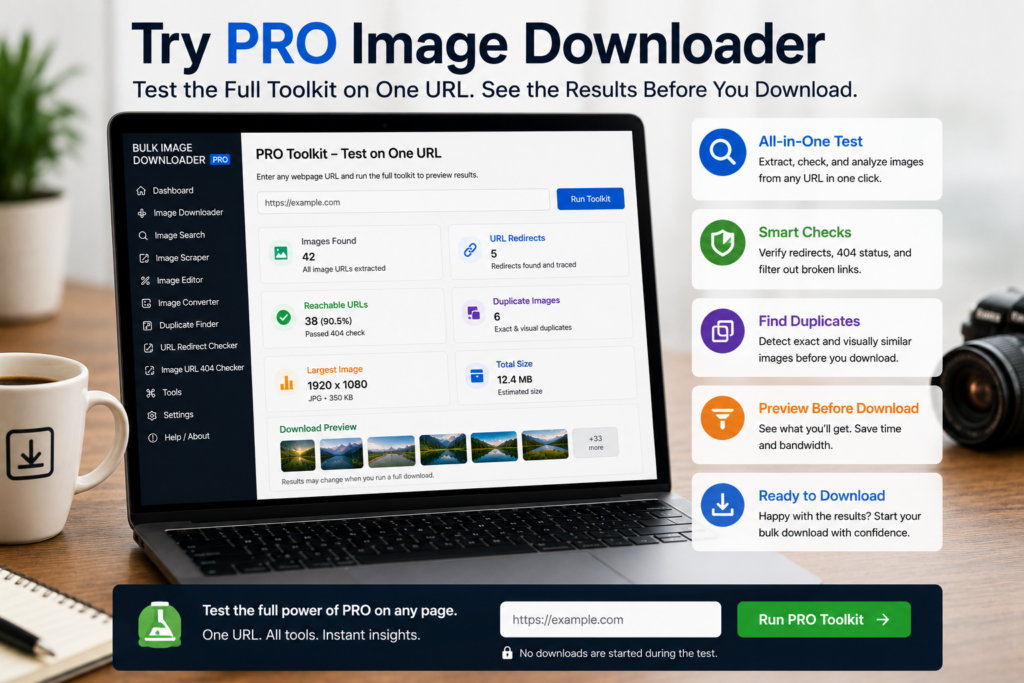
Try PRO exists for one reason: let you test the real workflow before paying. It is not a stripped-down demo with fake controls.
In try pro image downloader mode, the options page opens the same advanced tools Licensed PRO uses. The only restriction is task size.
What Try PRO unlocks
On the options page, Try PRO enables the full task workflow:
- Dimension, file type, aspect ratio, domain, and text filters
- Filename Constructor, folder naming, and cleanup rules
- Download IF URL rules
- Resize or convert on download (separate modes, not combined on one task)
- EXIF cleanup, PNG watermarking, and duplicate review tools
- 404 and redirect checking for image URL lists
The side panel scraper remains free separately. Try PRO is about evaluating the download-task pipeline, not unlocking page scanning itself.
The one limit: one URL per download task
Each download task can use one URL. You can still build the task fully, run filters, set naming rules, configure processing, and inspect the saved output.
That cap is deliberate. It gives you a honest test on your own pages without opening unrestricted bulk runs reserved for Licensed PRO.
A useful evaluation checklist
- Pick one messy page that represents your real work.
- Apply filters and confirm icons, banners, and thumbnails drop out.
- Build a filename pattern and check the saved names.
- Run one processing step you care about: resize, convert, EXIF cleanup, or watermark.
- Review output quality before committing to a license.
CSV task import requires Licensed PRO. Export can still help you document settings during testing.
When to move to Licensed PRO
If the workflow saves time on one URL, it usually saves more on full batches. Licensed PRO removes the one-URL cap and supports unrestricted URL counts per task plus CSV import for repeatable setups.
You can switch between Basic (Free) and Try PRO from the tier selector at any time while evaluating.
Continue reading: is bulk image downloader free.
Keeping the process inside the Chrome extension means preview, filter, and export all happen without switching between browser tabs and desktop tools.
What “one URL per download” actually means
The Try PRO limit is one image link inside a single download task. It is not a limit on how many downloads you can run, and it is not a limit on scanning or filtering. You can build a task, tune filters, set a filename pattern, and run the full toolkit on that one image to see exactly how the output looks before you commit.
Where Try PRO is genuinely useful
Try PRO is the right tier when you want to answer a specific question: does the resize mode I want produce the file size I need, does EXIF stripping keep the image acceptable, does the filename cleanup rule remove the junk my CDN adds. One image per task is enough to answer all three, and the answers are what you are paying attention to before moving up.
What is decided by licence, not by tier
Some features are gated by tier and some by licence, and it helps to know which is which. Exporting tasks to CSV works on every tier, while bulk CSV import needs Licensed PRO. Checking the specific control saves a support round trip when a button appears locked.