
Free vs Pro Image Downloader — What Basic, Try PRO, and Licensed PRO Include
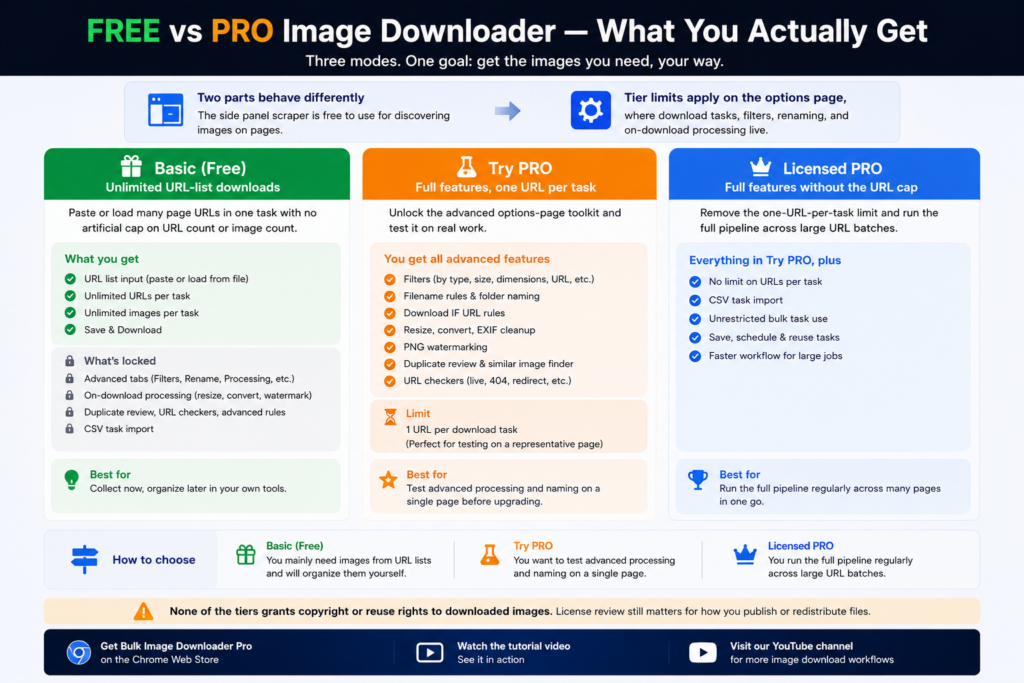
Two parts of the product behave differently
The side panel scraper is free to use for discovering images on pages. Tier limits apply on the options page, where download tasks, filters, renaming, and on-download processing live. That split matters. You can scrape and review images without paying, then decide whether the options-page workflow is worth upgrading.Basic (Free): unlimited URL-list downloads
Basic (Free) lets you paste or load many page URLs in one task with no artificial cap on URL count or image count. The trade-off is control: advanced tabs and processing options stay locked. You get URL input plus Save & Download. If your workflow is collect now and clean up later in your own tools, that can be enough.Try PRO: full features, one URL per task
Try PRO unlocks the advanced options-page toolkit so you can test it on real work: filters, filename rules, folder naming, Download IF URL rules, resize, convert, EXIF cleanup, PNG watermarking, duplicate review, and URL checkers. The limit is one URL per download task. That is enough to verify filters, naming patterns, and output quality before buying a license.Licensed PRO: full features without the URL cap
Licensed PRO removes the one-URL-per-task limit and adds unrestricted bulk task use, including CSV task import. This is the tier for recurring work across many pages in one run.How to choose
- Basic (Free): you mainly need images from URL lists and will organize them yourself.
- Try PRO: you want to test advanced processing and naming on a single representative page.
- Licensed PRO: you run the full pipeline regularly across large URL batches.
Our roundup of best bulk image downloader extensions covers more choices.
AI Studio is a separate requirement again
The three tiers cover downloading, but AI Studio sits behind its own gate. It needs an active PRO plan and AI credits bought from the shop. Each image uses credits, and credits expire one year after purchase, so they are not a permanent balance you can bank indefinitely.
Privacy works differently here too. Your prompt is sent through the extension’s server to the AI provider, and the prompt and images are not stored. Results stay on your computer until you add them to a download, and clearing AI data only affects the current Chrome profile — Incognito and other profiles keep their own copies.
Continue reading: try pro image downloader. Get Bulk Image Downloader From URL List on the Chrome Web Store, watch the tutorial video, or visit our YouTube channel for more image download workflows.Hand the ready list to the extension, and naming rules, folders, and filters stay consistent throughout.