
Check Broken Image Links Before Downloading
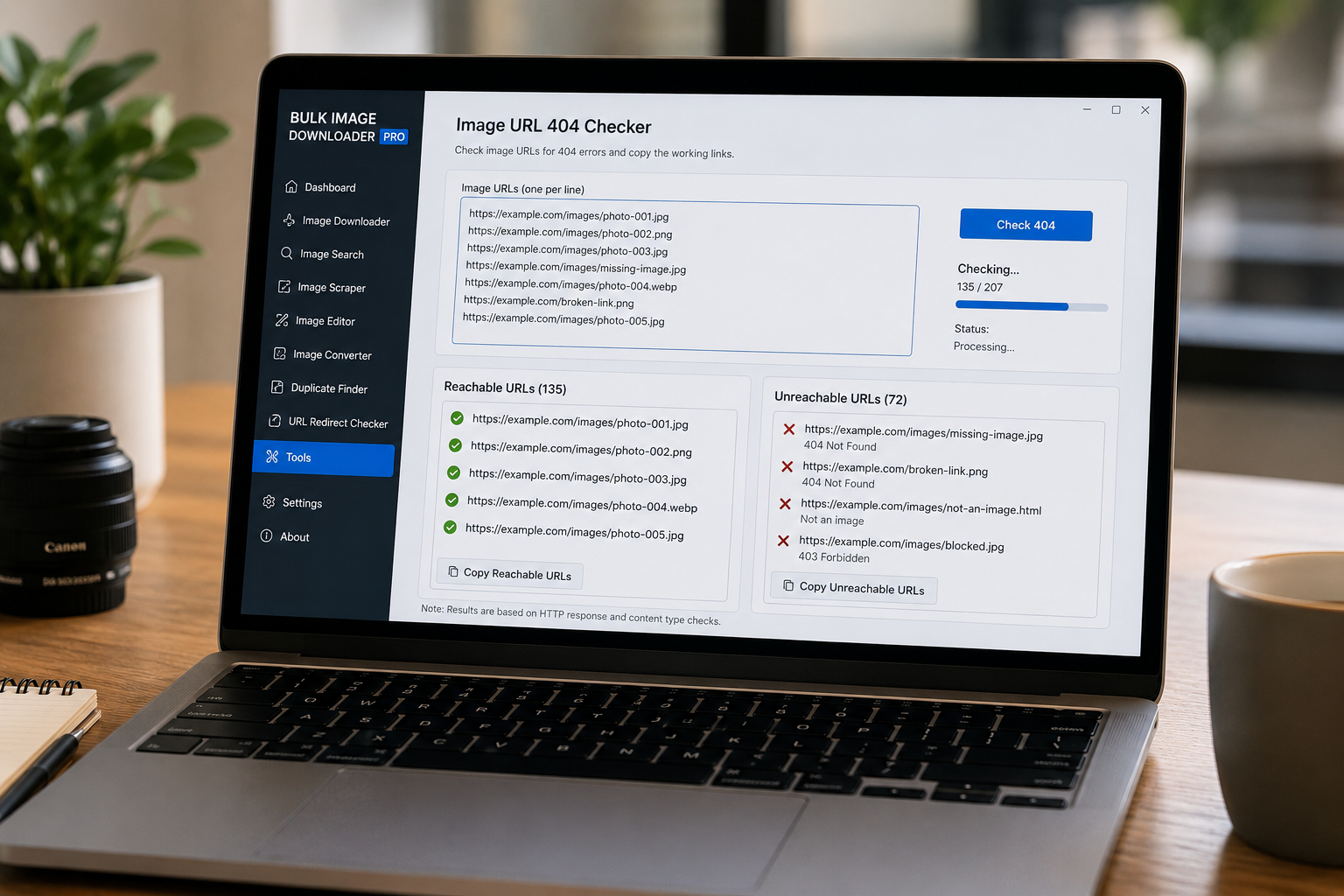
Image URL lists age quickly. A link that worked when you scraped it can return a 404 later, point to a non-image page, or fail because the server blocks the request. If you discover that only after starting a large download, you end up sorting through partial results and failed entries.
The Image URL 404 Checker in Bulk Image Downloader From URL List gives you a preflight check for that situation. It helps you check broken image links before downloading, then copy the reachable URLs into a cleaner task list.
What the 404 checker tests
The checker accepts HTTP and HTTPS URLs, one per line. For each URL, it first tries a lightweight request and falls back to a GET request when the server rejects or does not support the first method. It also checks whether the response looks like an image by reading the content type or matching a known image-style file extension.
That means the tool is not only asking whether this URL returns something. It is also asking whether the URL appears to return an image or image-related file type rather than an HTML error page.
How to run a broken link check
Open the Image URL 404 Checker from the Tools menu, paste your URLs into the box, and click Check 404. The extension processes the list in batches and shows progress while it works.
When the check finishes, the results are split into two text areas:
- Reachable URLs, for links that responded successfully and looked like image links.
- Unreachable URLs, for links that failed, timed out, returned an error, or did not look like image content.
Each section has its own copy button, so you can move only the clean URLs into a download task or keep the failed list for investigation.
Where this fits in a download workflow
Run the checker after scraping a page, before importing an old URL list, or before starting a large task where failed links would waste time. It is also useful after using the redirect checker: trace where URLs land, then test whether those final destinations are actually reachable image links.
For a clean workflow, copy the reachable set into a new task, review the unreachable set separately, and avoid mixing questionable links back into the same download run.
What it cannot guarantee
A successful check does not guarantee every later download will succeed. Servers can change, rate-limit requests, block hotlinking, require cookies, or behave differently during an actual download than during a preflight request. Browser fetch behavior and CORS restrictions can also affect what the checker can verify.
So treat the 404 checker as a strong cleanup step, not a promise. It helps remove obviously broken or non-image URLs before you download, which makes the final task cleaner and easier to troubleshoot.
Continue reading: check image URL redirects before downloading.
How the broken-link check relates to the download itself
The checker works on the pasted list and reports which links fail or are not images. It does not touch the download tasks you already have. That separation matters when a list is long: you can run the check, drop the dead entries, and paste only the survivors into a download. There is a useful property that runs through the link tools too — a single bad line does not sink the batch, because a line that is not a picture fails on its own while the other links still save. So even an unchecked list will not fail as a whole, but checking first saves you the noise.
Save the rules once, and the next similar list is quicker to handle.