
Tune Visual Duplicate Image Detection
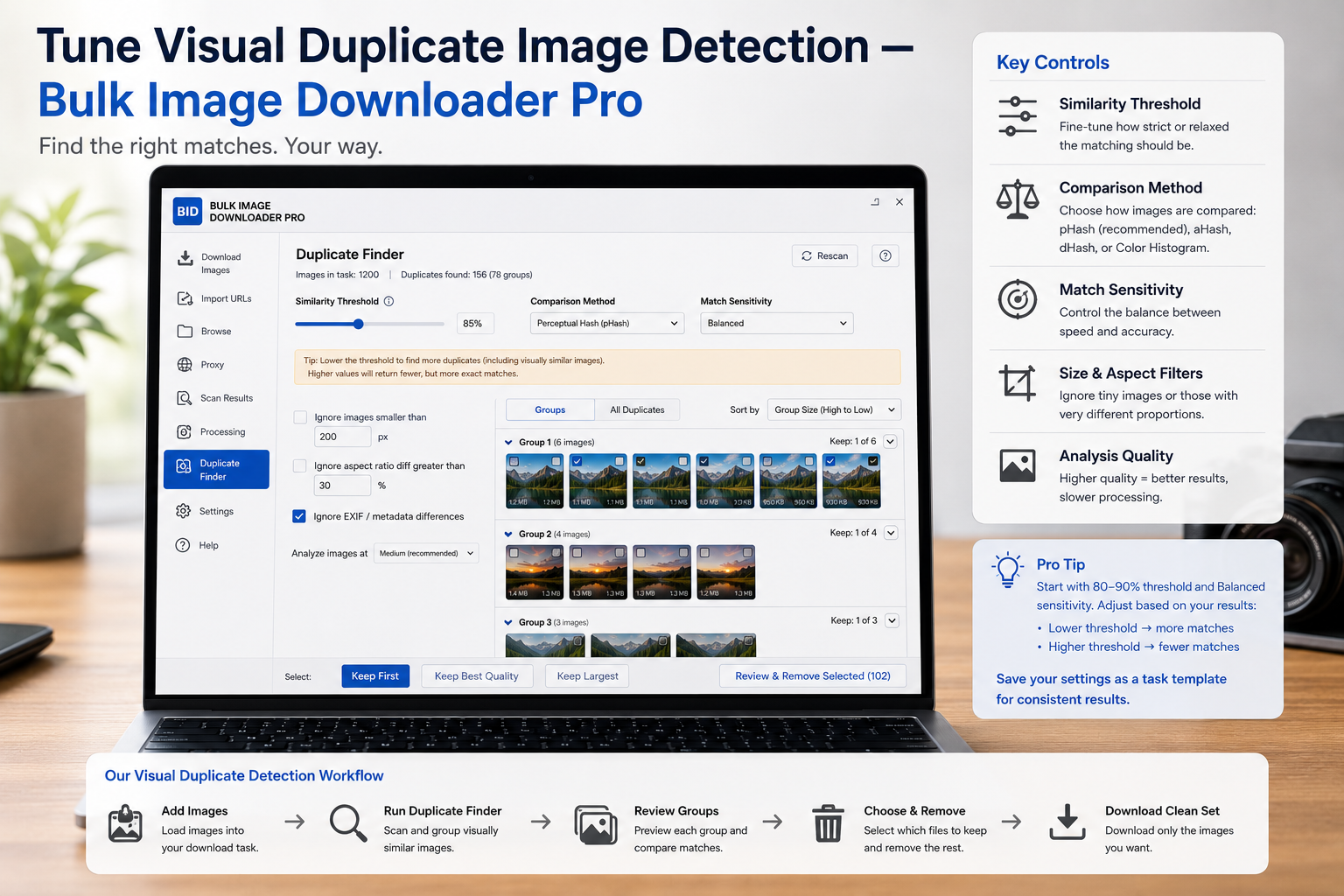
Sensitivity presets get you most of the way, but image sets differ. Flat product shots behave nothing like textured landscapes. When grouping is close but not quite right, you can tune visual duplicate image detection with per-signal weights on the Duplicate Finder tab in the extension.
What weight tuning controls
The finder blends many visual signals into one score: hashes, color histograms, dominant colors, spatial palettes, texture (LBP), sharpness (Laplacian), gradient edges, Hu shape moments, dimensions, format, and more. Each signal has a slider under Weight tuning that sets how much that signal should influence the final verdict. Weights are normalized automatically so you are adjusting relative importance, not fighting hidden math.
A separate Threshold slider (roughly 0.5 to 0.95 in the UI) sets how high the combined score must climb before two images are called duplicates.
The fast feedback loop
The reason tuning is practical is speed. After an initial scan, you do not need to rescore every image from scratch:
- expand Weight tuning
- move one or two sliders (or the threshold)
- click Re-apply
- watch groups tighten or loosen
Re-apply reuses already-computed signal data, so iterations take seconds instead of a full scan. If a round makes things worse, Reset to defaults returns known baseline weights and threshold.
Tune by symptom, not guesswork
Over-grouping (unrelated images merged):
- color palette may be dominating — lower Histogram, Dominant colors, or Spatial color palette weight
- raise Hash or shape signals if structure should matter more
- raise Threshold slightly or switch to the Strict sensitivity preset
Under-grouping (obvious copies stay separate):
- re-saved JPEGs or format changes often respond to higher Hash weight
- CDN size variants may need Dimension weight relaxed or Aggressive sensitivity
- lower Threshold slightly if scores sit just below the cutoff
Same product, different color wrongly grouped: increase Dominant colors or Spatial color palette weight so palette differences count more.
Sharp vs blurry versions should stay apart: raise Laplacian (sharpness) weight.
Change one slider at a time
If you move three sliders and grouping improves, you will not know which change helped or how to repeat it on the next batch. Single deliberate adjustments teach you which signals your images actually depend on.
There is no universal perfect mix. Crisp logos want different weighting than soft photography. Treat tuning as per-batch fine-tuning: adjust, re-apply, review groups, repeat until matches feel right, then run keep rules and remove non-kept URLs.
How tuning fits the full workflow
Start with a Sensitivity preset, scan once, then open weights only if groups need refinement. Pair the result with keep rules (largest resolution, first detected, shortest URL, manual) and task removal actions so deduplication actually shrinks your download lists.
For the underlying signals, read find visually duplicate images. For preset choice, see find duplicate images with sensitivity settings.
Install it and use Re-apply until duplicate groups mirror what your eyes already see.
What tuning cannot change
Sensitivity dials decide how aggressively the visual pass groups images, and both extremes stay inside the same job: it groups pictures that look the same even when their links differ. What no setting reaches is the other kind of repeat. The same link is not kept twice in one download, so exact URL duplicates collapse without a slider at all.
That split is worth knowing before tuning. If a set still contains obvious repeats after the visual pass, the remaining ones are likely URL-level duplicates that will disappear on save anyway, not a sign that the sensitivity needs another push.
Continue reading: Check Image URLs Before Download.