
Bulk Image Downloader for Graphic Designers — Reference Workflows That Stay Organized
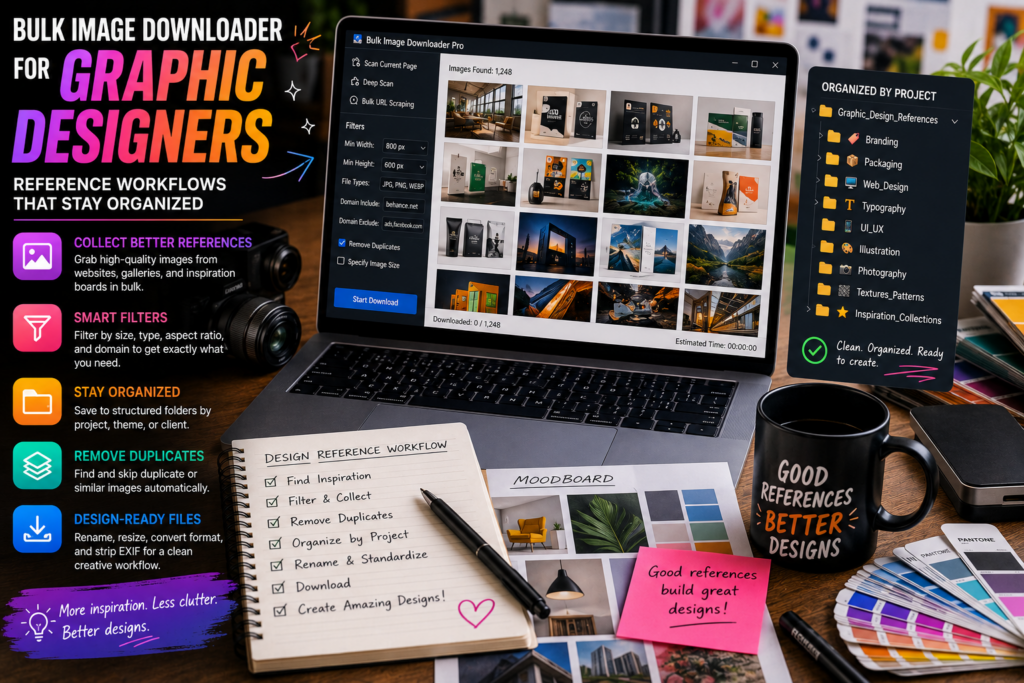
Graphic design research usually starts with scattered references: portfolio pages, packaging galleries, campaign archives, texture libraries, typography examples, and moodboard sources. Saving those one by one breaks the flow.
A bulk image downloader for graphic designers should help collect references quickly, then keep them organized enough to be useful later.
Collect reference images without chasing every thumbnail
Use Scan Current Page for simple pages and Deep Scan for lazy-loaded galleries. When a page has one useful section surrounded by navigation, ads, and unrelated assets, Area Scan can focus on that part of the layout.
For a moodboard built from several sources, paste a page list into Bulk URL Scraping and review the combined results before saving anything.
Filter for design-useful assets
Design reference folders get messy when they include icons, tiny thumbnails, tracking pixels, and duplicate previews. Use minimum dimensions to keep usable images, aspect ratio filters when the brief has a shape, and file type filters when the project needs specific formats.
Preview the result grid before downloading. A quick visual pass keeps the folder from turning into a dump.
Keep names and folders meaningful
Use task folders for projects, clients, styles, or source sites. Use the Filename Constructor for sequence numbers, timestamps, website names, URL fragments, or custom text so files sort naturally.
When client work is involved, keep source references, processed previews, and final assets in separate folders. That habit prevents confusion later.
Process only when the job calls for it
Convert is useful when a design workflow needs JPEG, PNG, or WebP output. Resize is useful when previews or handoff files need a specific size. They are separate modes, so choose the one the task actually needs.
PNG watermarking can help with preview assets when you have a prepared watermark image and the rights to apply it. It is not a text-watermark tool and should not replace proper client approval practices.
A designer-friendly workflow
Collect references, filter by size and shape, dedupe obvious repeats, save into project folders, use clean filename patterns, and process copies only when needed. The result is a reference library that supports the design process instead of interrupting it.
Continue reading: image downloader for ecommerce.
That is exactly the batch job this tool handles: a messy list of sources becomes a filtered, named download set.
Build a moodboard from several sources
Paste a page list into Bulk URL Scraping and review the combined results before saving anything. That keeps a reference board in one pass instead of a dozen separate saves, and it makes the filter step worthwhile: the clutter from five sources is easier to remove in one list.
Keep reference names meaningful
A folder of random server filenames is hard to reuse. Include the source or a project token in the filename so a reference can still be traced months later, and use auto-folders to separate sources when a board pulls from more than one place.
Save recurring sources as rules
Client sites you return to often are the best candidates for a saved rule. Capture the filters and page settings that worked, and the next moodboard starts from a known setup rather than from a blank scan on a site whose layout you have already solved once.