
Image Workflow From Scrape to Organized Folder
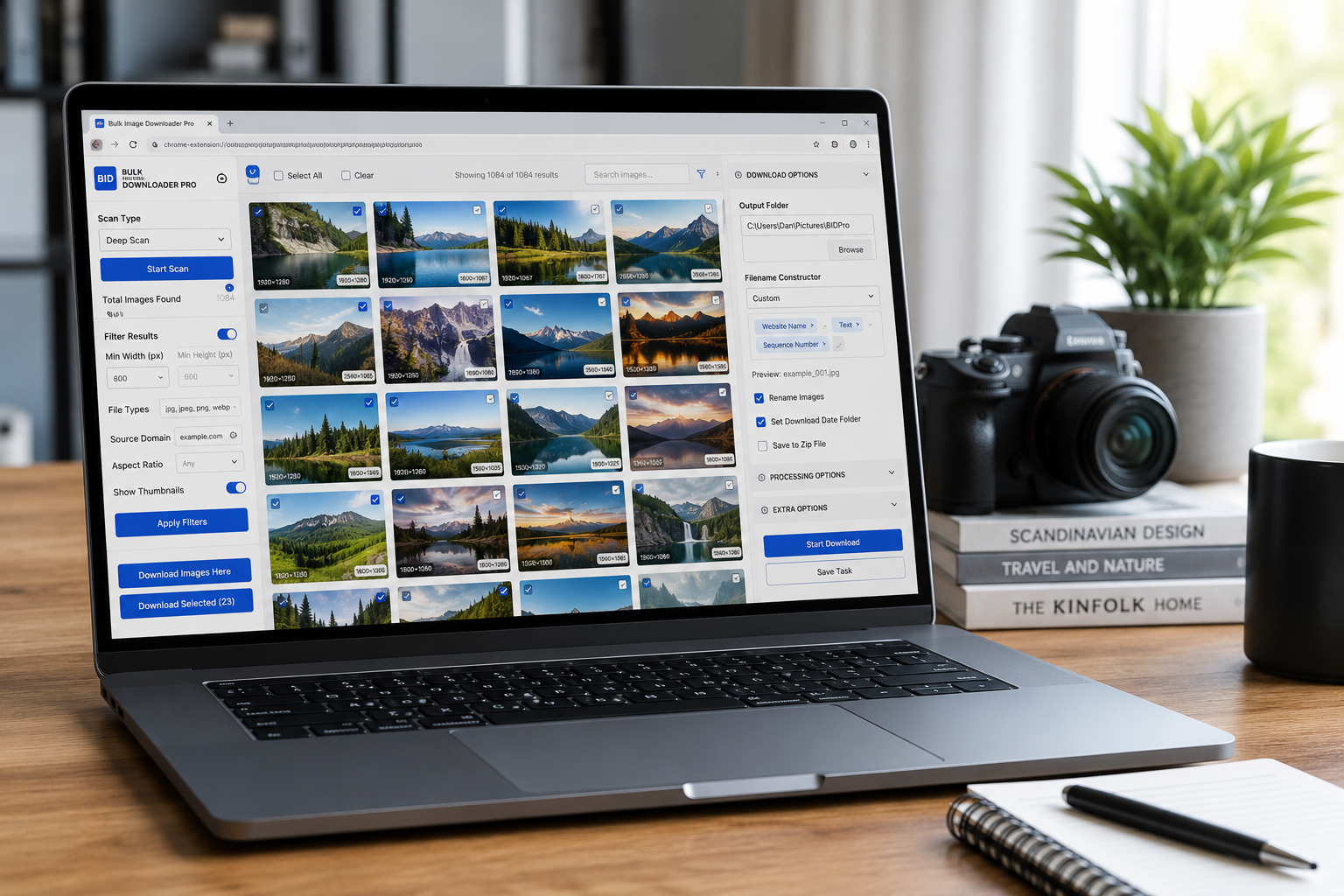
The hard part of image collection is rarely one single step. It is the chain: find the images, remove the wrong ones, avoid duplicates, name the files, process them if needed, and save them somewhere a human can understand later.
Bulk Image Downloader From URL List is useful because it keeps that image workflow from scrape to organized folder inside one Chrome-based process. The side panel handles discovery and first-pass cleanup. The options page handles download tasks, naming, processing, and output organization.
Start with the right collection method
Use the side panel for the discovery stage. Scan Current Page works for simple pages where images are already loaded. Deep Scan is better for lazy-loaded pages, long galleries, and pages where images appear as you scroll. Area Scan helps when you only need one section of a cluttered page.
If the job spans many pages, use Bulk URL Scraping. Paste page URLs one per line or load them from a file, set a maximum number of URLs for the run, add a delay between page loads, and collect the images into one reviewable result set.
Filter before you create the task
Do not send every discovered image straight to download. Use side panel filters first. Minimum dimensions remove icons and thumbnails. File type filters keep only the formats you want. Aspect ratio filters help when the final folder needs square, landscape, or portrait images. Source domain filters remove third-party widgets, ads, or unrelated hosts.
Turn on thumbnails when visual review matters. A quick pass over the grid can catch logos, placeholders, social buttons, and unrelated graphics that technical filters miss.
Remove repeats in two passes
Exact URL deduplication belongs early. It removes repeated links before they become a task. That alone can reduce clutter on pages that reuse the same image in previews, cards, and body content.
For images that look the same but have different URLs, use the Perceptual Duplicate Finder later on the options page. It compares task images visually and groups likely duplicates for review. Treat it as a review tool, not as an automatic truth engine.
Name files while downloading
Once the list is clean, send it to the options page with Download Images Here or Download Selected. This is where the filename constructor belongs. Use custom text, sequence numbers, timestamps, URL fragments, website names, or uploaded custom filenames to produce files that make sense after download.
If you use custom filename files, keep one filename per URL, match the URL order, avoid invalid filename characters, and leave file extensions out of the custom names. The extension applies the final extension based on the saved file.
Process only what the job needs
The options page can resize images, convert supported images to JPEG, WebP, or PNG, strip EXIF metadata through re-encoding, and apply a PNG watermark when configured. Resize and Convert are mutually exclusive in a task, so choose the one that fits the output you need.
Watermarking is part of the processing pipeline and should be configured deliberately. Do not enable processing just because it exists. For archiving, originals may be more useful. For uploads, resized or converted output may save time.
Save the output in a predictable structure
Use folder names or ZIP output to keep batches separated by project, source, class, client, product, or campaign. The more repeatable the job is, the more valuable saved task settings and CSV export become. They let you reuse the same folder, naming, filter, and processing decisions instead of rebuilding the workflow every time.
A good image workflow is not just faster. It is easier to audit. You know where the images came from, why certain files were kept, how they were named, and where the final folder lives.
Continue reading: Chrome extension vs desktop image downloader apps.
Regular use is where Bulk Image Downloader From URL List pays off: it puts the URL list, filters, and settings in one Chrome workflow.