
Collect image batches for web scraping projects
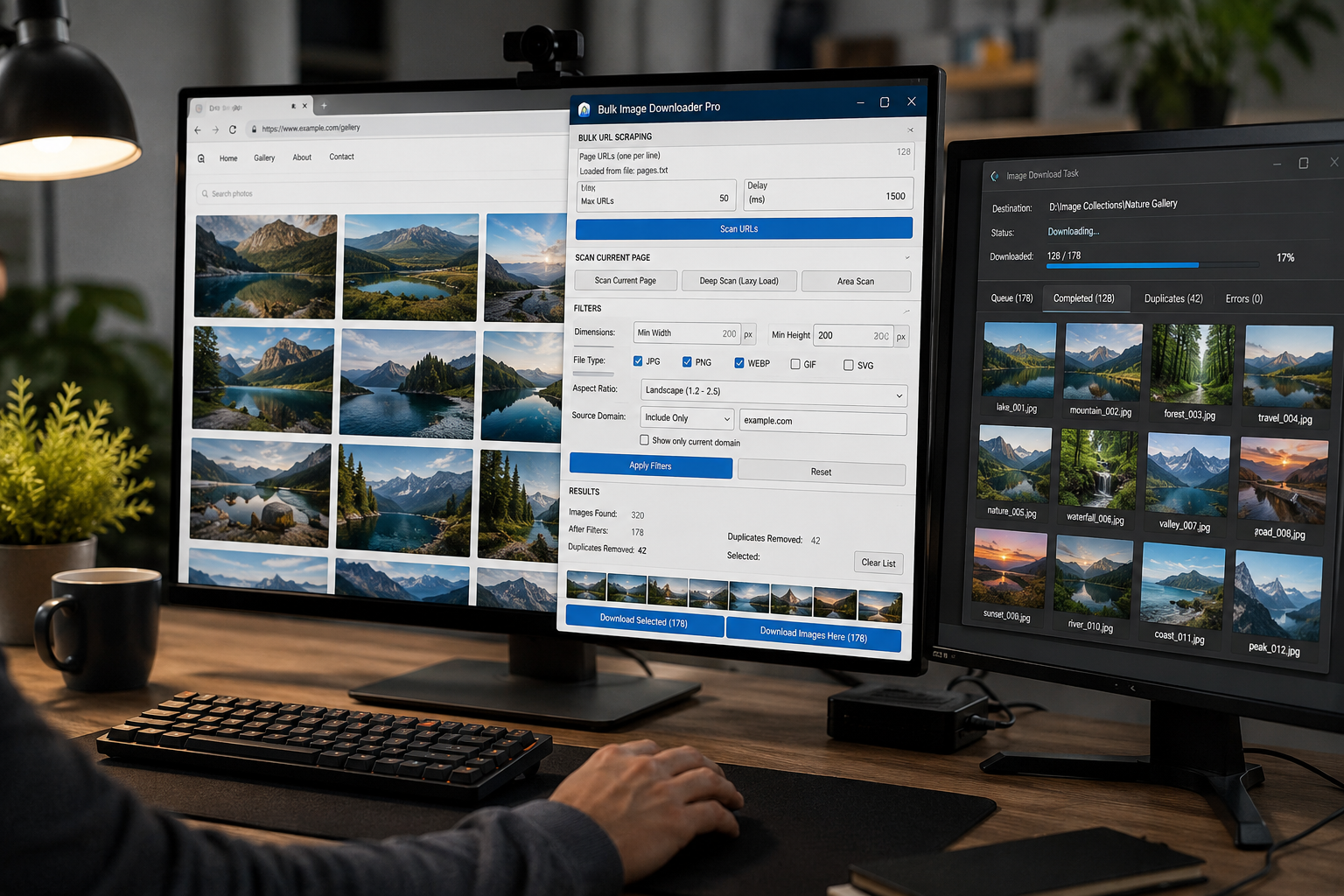
In many web scraping projects, text data is the easy part. Images are harder. Pages lazy-load galleries, serve files through CDNs, repeat the same asset under different URLs, and mix useful photos with icons, badges, and layout graphics.
Bulk Image Downloader From URL List is useful when the image step needs a browser-aware workflow instead of another custom fetch script. It lets you scan pages in Chrome, review the discovered images, clean the list, and then send the URLs into a download task.
Start from a list of page URLs
If your scraper or research process already produced a list of pages, start in the side panel’s Bulk URL Scraping section. Paste page URLs one per line, or load them from a text-style file such as TXT, CSV, or URLS. The side panel is scanning pages here, not downloading direct image links yet.
Use Max URLs to test a small slice before running a larger collection. Use Delay to add time between page loads, especially on fragile sites or sources you do not control. The cleaner your page list and pacing are, the easier the review step becomes.
Use page scanning for browser-loaded images
Some images are visible immediately. Others only appear after scrolling, JavaScript rendering, carousel interaction, or lazy loading. For a single source page, use Scan Current Page first, then Deep Scan when the page loads images gradually. Area Scan helps when a page has one useful gallery surrounded by unrelated graphics.
This is the part a browser extension is well suited for: it works from the page as Chrome sees it. It is not a bypass for private content or blocked assets, but it can reduce the amount of custom scraping code needed for normal browser-accessible image collection.
Filter the collection before download
A raw web scrape usually includes noise. Use the side panel filters before creating a task:
- Dimensions to remove tiny icons, favicons, sprites, and thumbnails.
- File type to keep only the formats your pipeline accepts.
- Aspect ratio when your project needs square, landscape, portrait, or a narrower custom range.
- Source domain to include the hosts you trust or exclude third-party widgets and tracking assets.
The result grid can also show thumbnails, sort by URL or dimensions, and keep only the current domain. That makes it easier to spot whether the collection is actually useful before anything is saved to disk.
Remove repeats before creating tasks
For web scraping, duplicate cleanup matters. The same image may appear across category pages, product cards, and detail pages. The side panel’s deduplication catches exact URL repeats before the list is handed to the downloader. If visual duplicates are still a problem later, the options page has a Perceptual Duplicate Finder for task entries that look alike even when the URLs differ.
Do this before downloading. A smaller, cleaner URL list is faster to inspect, easier to name, and less likely to pollute the final folder.
Send clean URLs to the options page
Once the side panel results look right, use Download Images Here or Download Selected. The extension opens the options page and creates or updates a task from those URLs. That is where folders, ZIP output, filename construction, parallel or queued execution, and image processing settings belong.
For repeatable projects, save the task and export the configuration to CSV. The next run can start from the same structure instead of rebuilding folders, filename rules, and download settings manually.
Use it responsibly
Bulk image collection does not create permission to use someone else’s images. Check site terms, robots guidance where relevant, licensing, and copyright before building a dataset, catalog, or public asset library. The tool helps with the mechanical collection step; responsibility for what you download and how you use it stays with you.
Continue reading: collect an image dataset for machine learning.
The same three steps apply — gather URLs, filter, download only what is useful.