
Image Downloader vs Web Scraper IO
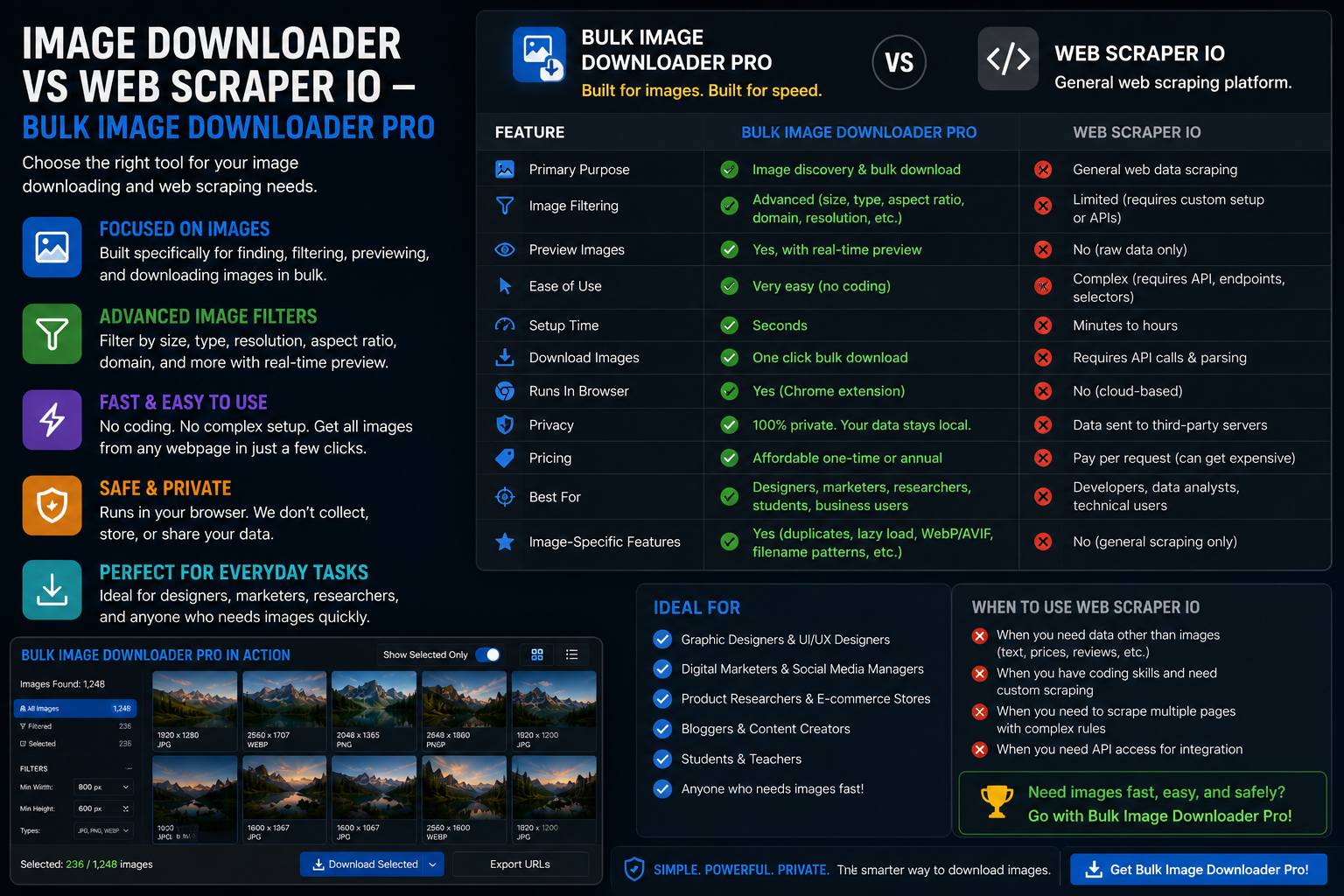
Image downloader vs Web Scraper IO compares two Chrome extension categories. Web Scraper.io is a general-purpose scraper built around sitemaps, selectors, and structured exports. Bulk Image Downloader From URL List is image-first: scan, filter, and download picture files with optional on-download processing.
Both can touch image URLs. The difference is the deliverable: CSV rows of fields versus folders of finished images.
What Web Scraper.io does well
Typical strengths of that extension family:- sitemap-based navigation across listing and detail pages
- CSS or XPath selectors for text, links, and attributes
- pagination and click-through logic you configure once
- export to CSV or JSON for mixed-field datasets
Where general scrapers stop for image jobs
- output is usually URLs or attributes, not renamed image files
- no native visual duplicate detection across thumbnails
- no built-in resize, convert, EXIF strip, or watermark on download
- lazy-loaded galleries still depend on how your selectors and scroll steps are written
src values with Web Scraper.io. Turning hundreds of URLs into a clean, consistently named photo set is a second pipeline.
What an image-focused extension adds
- Deep Scan and Continuous Scanning for scroll-heavy galleries without writing traversal scripts
- side-panel filters for size, type, aspect ratio, and domain
- Bulk URL scrape and pagination for multi-page catalogs
- Download If URL rules, filename constructor, auto folders, per-task ZIP
- perceptual duplicate finder plus 404 and redirect checkers
- on-download resize or convert, EXIF strip, PNG watermark (PRO)
Comparison table
| Scenario | Web Scraper.io | Image-focused extension |
|---|---|---|
| Mixed-field data export (CSV/JSON) | Yes | No |
| Finished image files with naming | Manual follow-up | Yes |
| Selector/sitemap setup | Required | Not required |
| Lazy-load gallery capture | Depends on config | Deep Scan |
| Visual dedupe + link checkers | No | Yes |
| On-download processing | No | Yes (PRO) |
Pick by end product
Use Web Scraper.io when structured records across many fields are the goal and you are comfortable maintaining sitemaps. Use Bulk Image Downloader From URL List when the goal is curated image files: filtered, named, deduplicated, and optionally resized before they hit disk. They overlap on URL discovery but not on the finishing work photographers, merchandisers, and designers actually need. Install the extension when pictures, not spreadsheet rows, are the deliverable.Widening the search?If you want to compare alternatives, see best bulk image downloader extensions.
The layout choice does not change the output
Classic, Browser, and Pipeline save the same downloads. Only the screens change. That is worth knowing before you pick one for a scraper comparison, because the comparison table earlier describes behavior, not layout. Switching happens from the top bar, or from the layout buttons on the right edge of Classic, and your edits are saved before the screen changes.
One exception is practical rather than functional: if a download is still running, the extension asks before it switches. So you can move between Classic and Pipeline mid-project without re-entering anything, but you cannot change the screen out from under a live save.
Continue reading: Image Downloader vs Instaloader.