
Collect an Image Dataset for Machine Learning
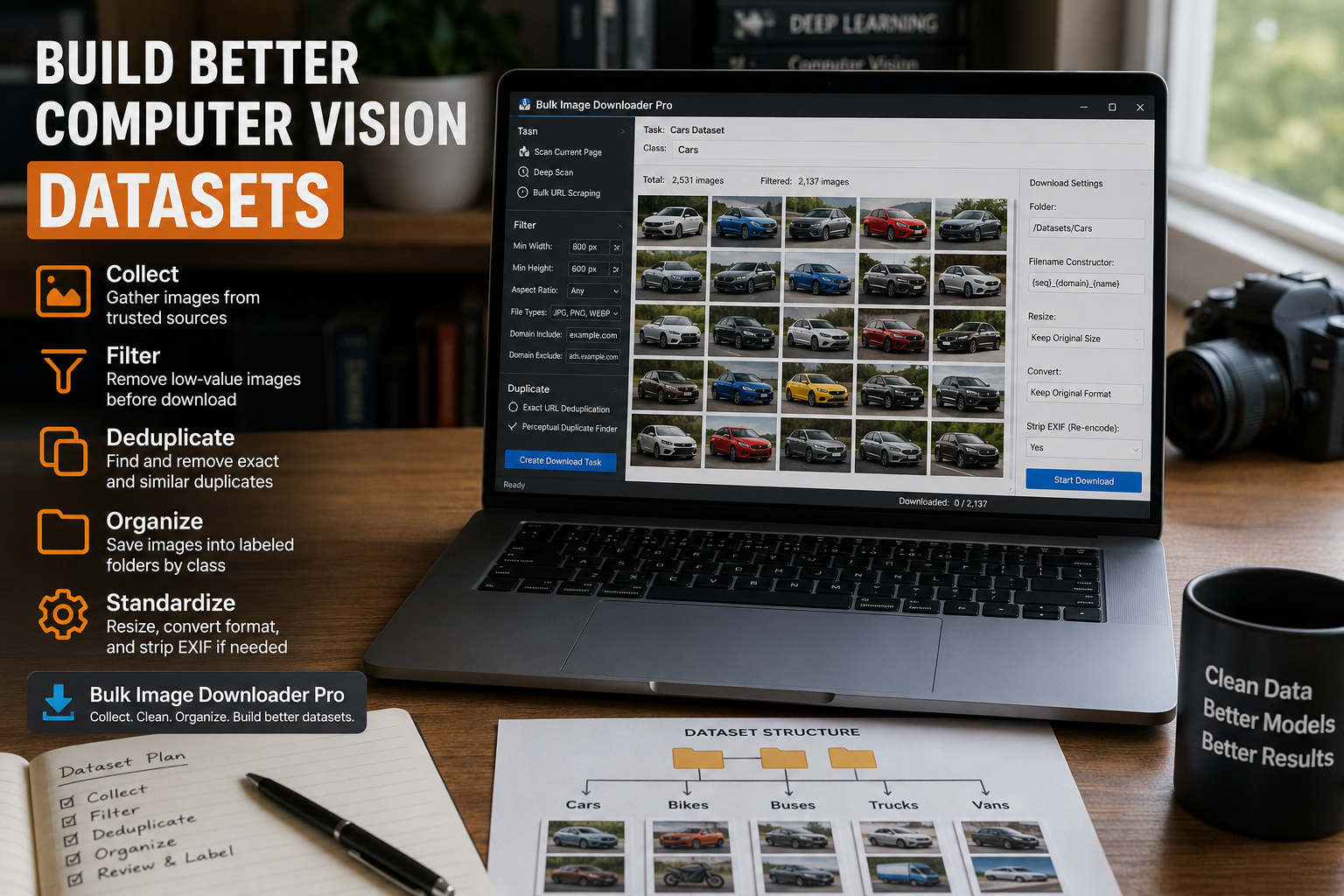
A useful computer vision dataset is not just a folder with many images. It needs enough variety, clear labels, consistent quality, and as few duplicates as possible. If the collection step is sloppy, the model pays for it later with noisy training, misleading validation scores, and extra cleanup work.
Bulk Image Downloader From URL List can help with the collection and first-pass cleanup stage. It does not label images or judge whether a dataset is scientifically valid, but it can make it easier to gather browser-accessible image candidates, remove obvious junk, and save files into an organized structure.
Gather candidate images from known sources
Start with sources you are allowed to use. That may be your own website, licensed sources, internal image libraries, public-domain collections, or pages where you have permission to collect images. Open the side panel and use Scan Current Page for simple pages, Deep Scan for lazy-loaded galleries, or Bulk URL Scraping when you have a list of source pages.
For a class-based dataset, collect one class at a time where possible. That makes later organization easier because each task or folder can map to a class label.
Filter out low-value images early
Many pages include images that are poor training samples: icons, logos, placeholders, tiny thumbnails, badges, and unrelated layout graphics. Before creating a download task, use the side panel filters to narrow the collection.
- Set minimum width and height so small assets do not enter the dataset.
- Restrict file types to formats your training pipeline handles reliably.
- Use aspect ratio filters when the model expects similar framing.
- Use domain include/exclude rules when the page mixes first-party images with third-party assets.
Filtering before download is faster than downloading everything and cleaning a messy folder later.
Remove duplicates before splitting data
Duplicates can make a model look better than it really is. If the same image or near-identical image appears in both training and validation data, accuracy can be inflated. Start with exact URL deduplication in the side panel, then use the Perceptual Duplicate Finder on saved tasks when visual duplicates are likely.
Perceptual matching should still be reviewed. It is a decision aid, not a perfect dataset auditor. Keep a record of what was removed when the dataset matters, and avoid deleting borderline examples without checking them visually.
Save folders that match your labels
On the options page, use one task or folder per class. Clear folder names make it easier to hand the final dataset to a loader or annotation tool. The filename constructor can add sequence numbers, timestamps, URL fragments, or custom text so files sort cleanly and do not overwrite each other.
If you already maintain filenames in a spreadsheet, custom filename upload can align one filename per URL. Keep those names extension-free, avoid invalid filename characters, and make sure the filename count matches the URL count.
Standardize only when your pipeline needs it
The options page can resize images, convert supported images to JPEG, WebP, or PNG, and strip EXIF data through re-encoding. Those are useful when your model pipeline expects a consistent size or format, or when you want to remove camera metadata before storage.
Do not over-process by default. For some training workflows, keeping original resolution and format is valuable. For others, resizing or format conversion saves storage and speeds up preprocessing. Choose based on the model and loader, not because every dataset needs the same treatment.
Expect manual review after collection
No downloader can guarantee a clean machine learning dataset. You still need labeling, class balance checks, license review, privacy checks, and sample inspection. The extension is best used as the collection and organization layer: gather candidates, filter obvious noise, remove repeats, and save a folder structure that makes the real dataset work easier.
Continue reading: download product images for dropshipping.
When this becomes a regular task, Bulk Image Downloader From URL List keeps the URL list, filters, and settings in one place in Chrome.