
Export Image URLs Without Downloading the Files
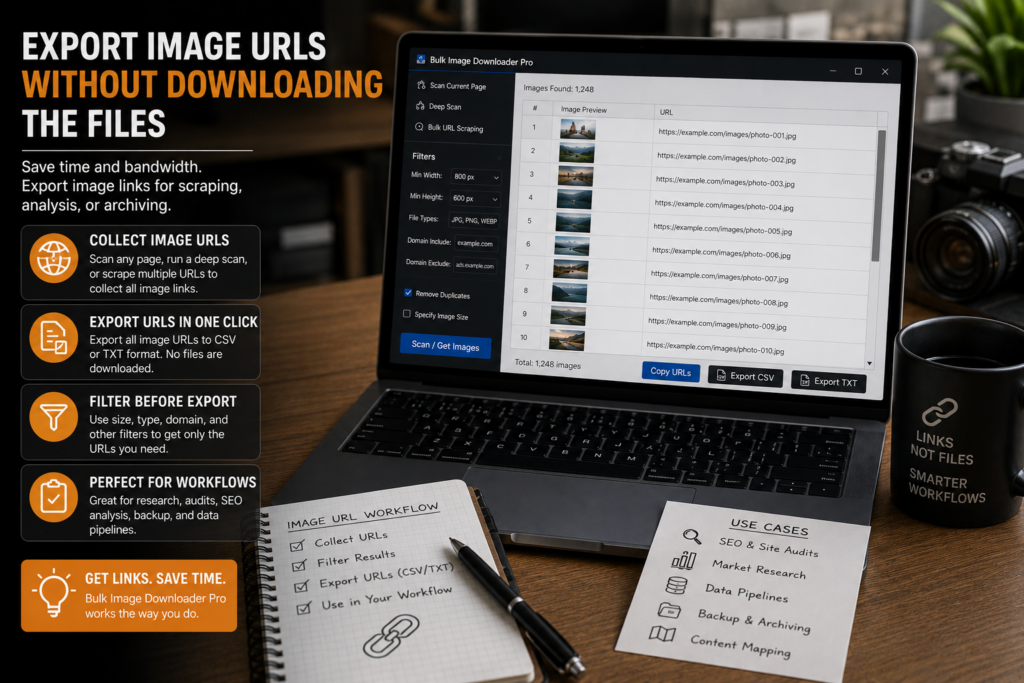
Sometimes the image file is not the deliverable. You may need the URL list for an SEO audit, migration plan, spreadsheet, ticket, client handoff, or another tool that will process the links later.
In that case, you can export image URLs without downloading the files first.
Scan the page or URL list
Start by collecting the image results. Use Scan Current Page for a simple page, Deep Scan for lazy-loaded content, or Bulk URL Scraping when the source is a list of pages.
The quality of the export depends on the scan. If the browser never loads an image, it cannot appear in the exported list.
Filter before exporting
A raw image URL list can be noisy. Filter by dimensions, file type, domain, and URL text before copying or exporting. Strip exact URL duplicates when the same image appears more than once.
This is especially useful for audits. A filtered list of likely content images is more valuable than a dump full of favicons, sprites, thumbnails, and tracking pixels.
Copy URLs or export CSV
The side panel supports copying image URLs and exporting scan results as CSV. Copying is best for quick handoffs. CSV is better when the list needs to be sorted, annotated, shared, or used in a spreadsheet.
You can also copy individual URLs from result views when you only need a few specific sources.
Verify important URLs
If someone else will rely on the export, check the links before handing them off. The 404 Checker helps identify unreachable or non-image URLs. The Redirect Checker helps reveal final destinations when URLs bounce through redirects.
That extra step prevents a clean-looking spreadsheet from becoming a list of broken sources.
A URL-only workflow
Scan, filter, dedupe, copy or export CSV, then verify the links that matter. Save the session if you may need to return to the same result set later. You get the image addresses without filling your downloads folder with files you did not need.
Continue reading: avoid rate limits when scraping images.
Get Bulk Image Downloader From URL List on the Chrome Web Store, watch the tutorial video, or visit our YouTube channel for more image download workflows.
For a repeatable setup, save the rules once in Bulk Image Downloader From URL List, then reuse them the next time you face a similar URL list.
Keep the process inside Bulk Image Downloader From URL List when you want to preview, filter, and export without jumping between browser tabs and desktop tools.