
Image Downloader for OSINT Research — Capture, Verify, and Document Sources
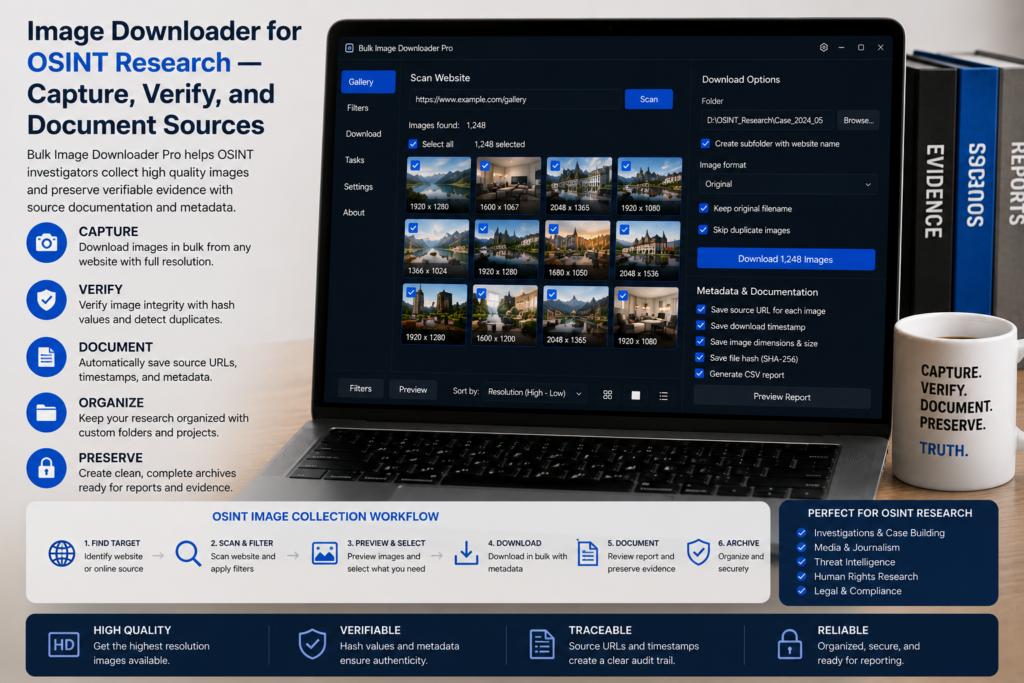
In OSINT work, an image is rarely just a picture. It is a source, a timestamp, a lead, a clue, or evidence that needs context. Saving the file without preserving where it came from can weaken the entire investigation.
An image downloader for OSINT research should support careful collection, source tracking, and verification.
Capture what the browser can see
Use Scan Current Page, Deep Scan, or Area Scan depending on the page. Deep Scan helps with lazy-loaded feeds and galleries. Area Scan helps when a specific section matters and the rest of the page is noise.
Do not treat any downloader as a bypass tool. If content is private, blocked, deleted, or legally restricted, respect those boundaries and follow your organization’s evidence-handling rules.
Export URLs for provenance
For research notes, source URLs are often as important as downloaded files. Copy URLs or export scan results to CSV so your notes can show where the image was found.
Save sessions when you may need to return to a result set later. Session comparison can help document what changed between two captures, but it should support your reporting notes rather than replace them.
Check redirects and dead links
The Redirect Checker can show where a URL ultimately lands after redirects. The 404 Checker can help identify unreachable or non-image URLs before you cite or hand off a list.
These checks are not proof of authenticity. They are useful technical context that belongs alongside broader verification work.
Keep case files organized
Use folder names, filename tokens, timestamps, and source labels so downloads remain traceable. Keep original source lists separate from processed copies if you resize, convert, or strip metadata for sharing.
For sensitive work, prefer local processing and avoid uploading material to unnecessary third-party services.
A responsible OSINT workflow
Capture the page state, export URLs, save a session, check redirects or dead links where relevant, download only what you are permitted to retain, and document your handling steps. The tool can help with collection; judgment still belongs to the investigator.
Continue reading: bulk image downloader for digital marketers.
With this extension there is no shuffling between browser tabs and desktop tools for preview, filter, and export.
Keep a case file per investigation
Name the task folder for the case and the capture date, so a later export is traceable to the point in time it was taken. Save the session alongside it. A session export records the result set behind the download, which is more useful in a report than a folder of images with no stated origin.
Verify rather than assume
Use the redirect checker on URLs whose origin you are unsure of, and the 404 checker to confirm a URL still resolves to a real image rather than an error page. Both produce evidence you can note. Neither decides whether an image is authentic, so keep the verification and the interpretation as separate steps in your notes.
Watch a live page with continuous scanning
Some sources keep loading as you watch: a feed adds rows, a dashboard refreshes, a gallery appends. Continuous scanning keeps watching the page and adding what appears. Leave it off when you only need a fixed capture, and turn it back on when the set is expected to grow while you work.