
Image Downloader vs Bulk Media Downloader
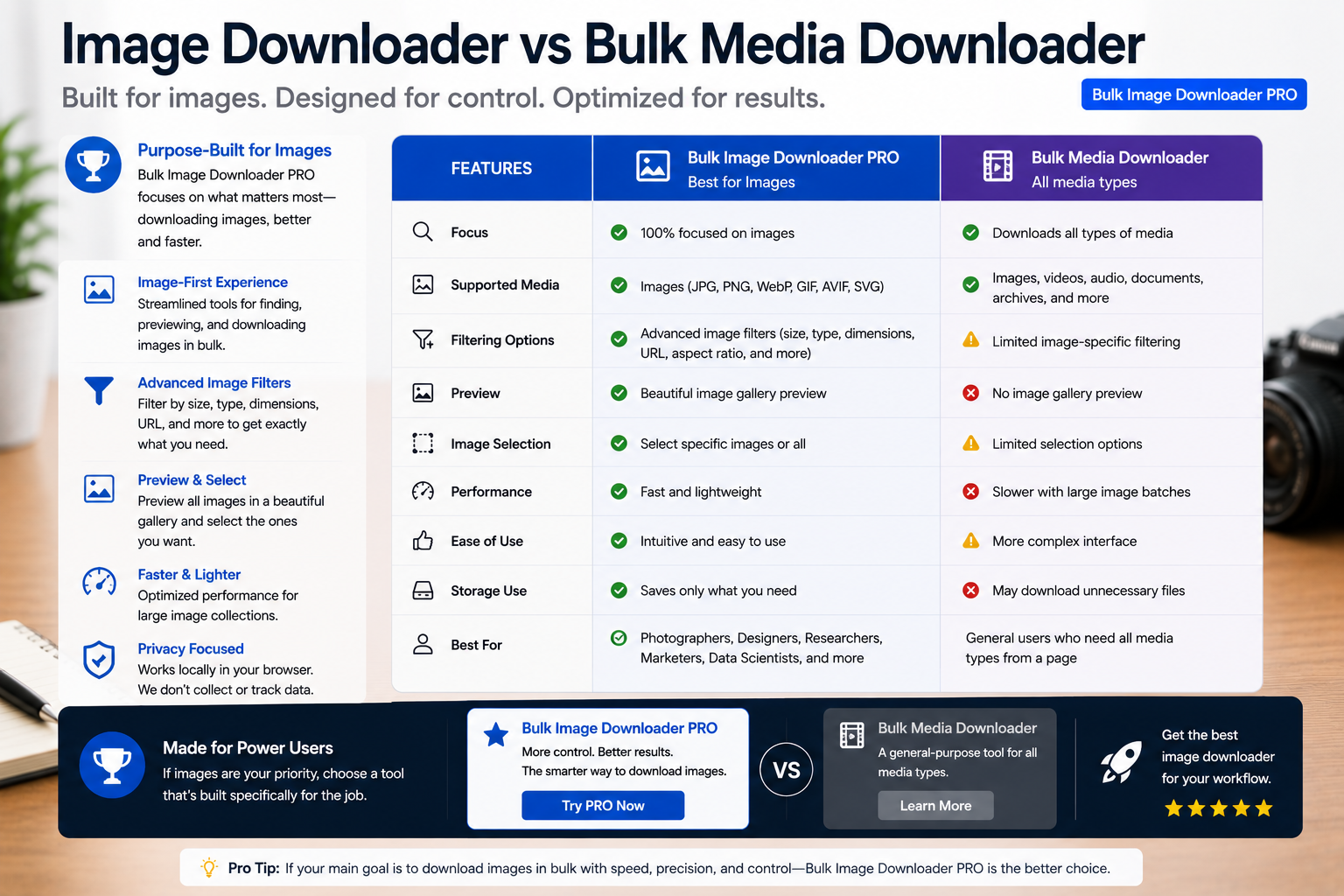
Search for image downloader vs bulk media downloader when you are not sure which category fits. A bulk media downloader targets mixed payloads: MP4 streams, audio files, embedded players, and whatever else a page references. An image-first extension ignores video and goes deep on still pictures, filters, and output shaping.
Bulk Image Downloader From URL List is in the second camp. It does not capture video or audio. If your job is mixed media from one page, a media downloader is the right tool category and an image specialist will frustrate you.
What bulk media downloaders optimize for
Tools in this category aim for breadth:- detect and save video or audio streams a page loads
- handle multiple MIME types from one grab action
- mirror what the browser fetched, not only visible thumbnails
What image-first downloaders optimize for
When pictures are the deliverable, depth beats breadth:- Deep Scan, Area Scan, and Continuous Scanning capture lazy-loaded and live-updating images
- side-panel pagination can auto-detect next-page links (up to 100 pages) or follow a manual page range
- filters for dimensions, file type, aspect ratio, URL text, and domain include/exclude
- Bulk URL scrape walks many page URLs from a pasted list
- perceptual duplicate finder, 404 checker, and redirect checker
- on-download resize or convert (JPEG/WebP/PNG, mutually exclusive per task), optional EXIF strip, PNG watermark (Licensed PRO processing)
- saved tasks, Download If URL rules, auto folders, and filename constructor tokens
Comparison table
| Capability | Bulk media downloader | Image-first extension |
|---|---|---|
| Video / audio capture | Often yes | No |
| Image dimension / ratio filters | Basic or none | Yes |
| Lazy-load image capture | Varies | Deep Scan + Continuous Scanning |
| Multi-page catalog crawl | Varies | Pagination + URL lists |
| Visual duplicate removal | No | Yes |
| On-download image processing | Rare | Yes (PRO) |
Choose by your actual payload
Grab mixed media from one page: use a bulk media downloader. Build a curated, named, deduplicated image set across many URLs: use an image-first workflow tool. Many people keep both installed for different jobs. The mistake is expecting one category to do the other’s specialty. Install the extension when images, not streams, are what you ship.Our roundup of best bulk image downloader extensions covers more choices.
Continue reading: Safe Bulk Image Downloader.Pick by payload, not by feature list
The simplest way to choose is to name what you are actually collecting. If the deliverable is video, audio, or a mixed archive of everything a page loads, an image tool will frustrate you. If the deliverable is still pictures, an image-first tool applies the filters and naming that a general media grabber does not.
Using both without duplication
It is reasonable to keep a media downloader for streams and this extension for pictures. Keep the jobs separate rather than trying to make one tool cover both, so a video grab does not drag thumbnails into an image set and an image task does not waste time on media it will never collect.