Scrape images from a URL list by giving Bulk Image Downloader From URL List a set of page URLs, setting a page limit and delay, then reviewing the combined results.
Bulk Image Downloader From URL List features on the options page include filters, filename rules, folder naming, resize and convert, EXIF cleanup, PNG watermarking, duplicate review, and URL checkers.
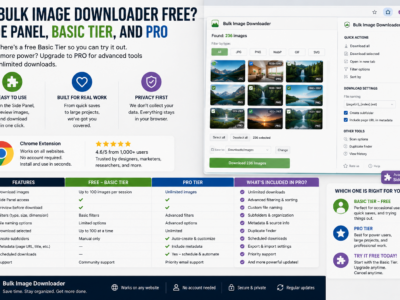
Is bulk image downloader free? Yes for side-panel scraping and Basic (Free) URL-list downloads. Advanced filters, naming, and on-download processing require Try PRO or Licensed PRO.
How to handle infinite scroll image download tasks with Deep Scan, Continuous Scanning, Stack Mode, filters, and realistic expectations for dynamic pages.
Supported image formats in Bulk Image Downloader From URL List explained clearly: what you can filter while downloading, what the browser can preview, and which formats can be converted during processing.
Import URL lists for image downloads by pasting links, loading files, or using CSV task import, then checking whether each URL is a direct image URL or a page URL that needs scanning.
A practical way to download images from multiple tabs or pages by turning sources into a page URL list, scanning them, stacking results, filtering noise, and sending the clean image list into a download task.
A step-by-step guide to using Bulk Image Downloader From URL List: scan pages, collect image URLs, filter results, create download tasks, set filenames, choose ZIP output, and run batches safely.