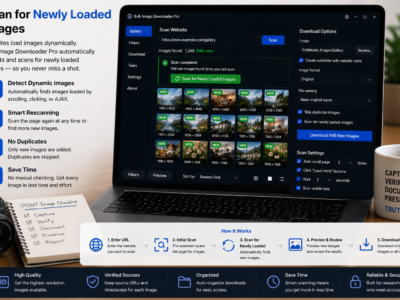
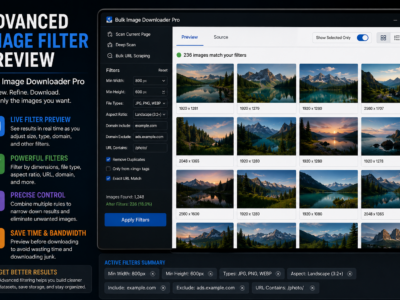
Some pages keep adding images after the first load. Enable Continuous Scanning in the side panel to rescan when the DOM changes and catch new pictures as they appear.
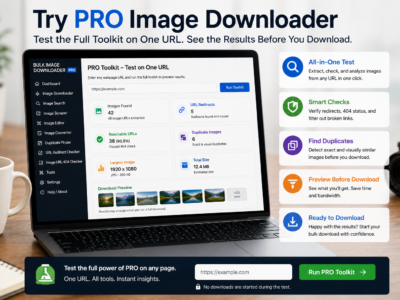
Try PRO image downloader mode unlocks the full options-page feature set with one URL per download task, so you can evaluate filters, naming, and processing before buying a license.
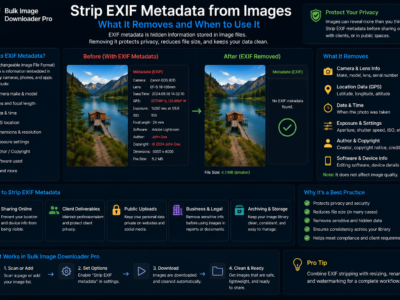
Strip EXIF metadata from images to reduce hidden camera, timestamp, and location data before sharing, publishing, or delivering downloaded photo batches.
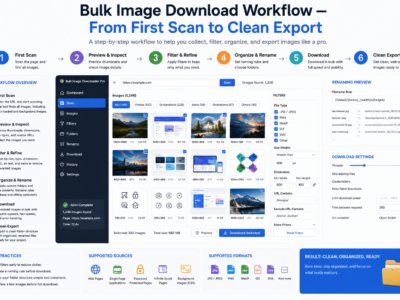
A bulk image download workflow works best as six stages: scan, filter, dedupe, rename, process, and export, so large jobs stay organized and repeatable.
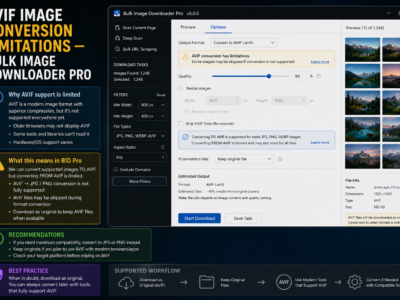
On-download Resize and Convert output JPEG, WebP, and PNG through Canvas. AVIF is not supported as a processing output format; here is what still works.
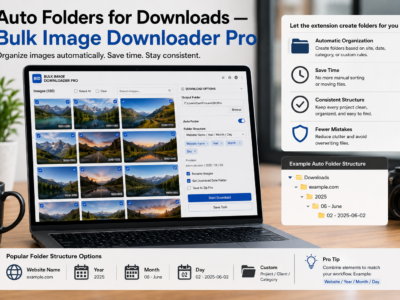
Auto folders for downloads build nested paths from your task folder name, source domain, and URL path segments so bulk images land sorted without manual cleanup.