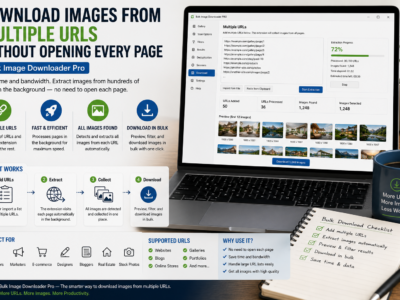
Download images from multiple URLs by pasting or loading a page list, setting limits and delays, filtering the combined results, and saving the final batch.
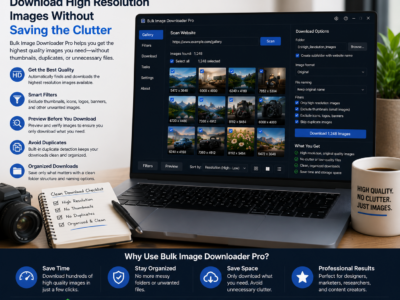
Download high resolution images by scanning the full page first, filtering by dimensions and aspect ratio, previewing results, and saving only full-size files.
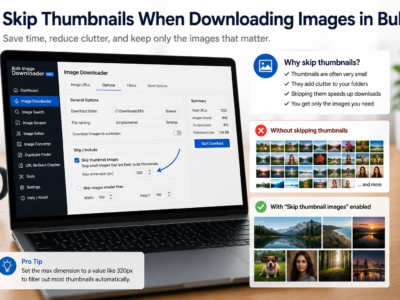
Skip thumbnails when downloading images by combining minimum dimensions, URL text filters, file type filters, domain filters, and preview review before saving.
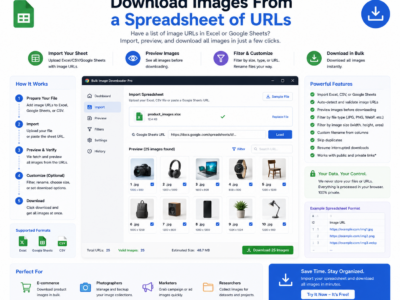
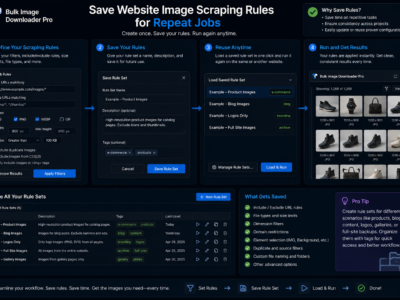
Download images from a spreadsheet by turning URL columns into page scrapes, direct image tasks, custom filenames, folders, and repeatable CSV-based workflows.
A bulk image downloader for graphic designers helps collect references, filter by size and aspect ratio, organize folders, convert formats, and prepare client-safe previews.
A bulk image downloader for digital marketers helps collect approved visual assets, filter by campaign needs, organize folders, rename files, and prepare clean handoffs.
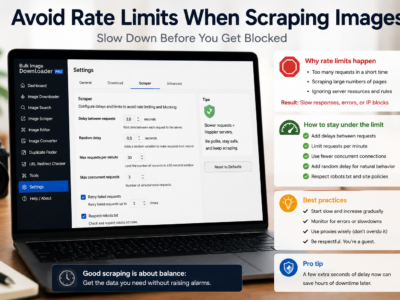
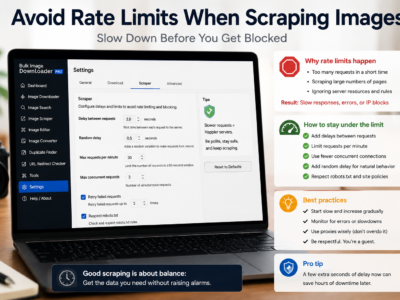
Avoid rate limits when scraping images by testing small batches, adding request delays, lowering parallel downloads, using queued mode, and respecting site limits.
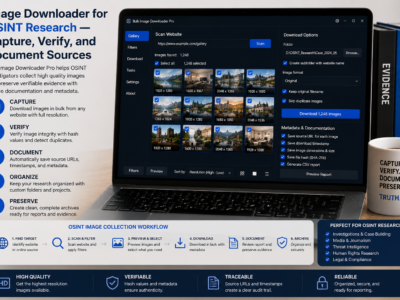
An image downloader for OSINT research helps collect browser-visible images, export source URLs, save sessions, check redirects, and document visual evidence responsibly.
An image downloader for ecommerce helps collect product images from page lists, filter non-product assets, name files by SKU, remove duplicates, and organize output.